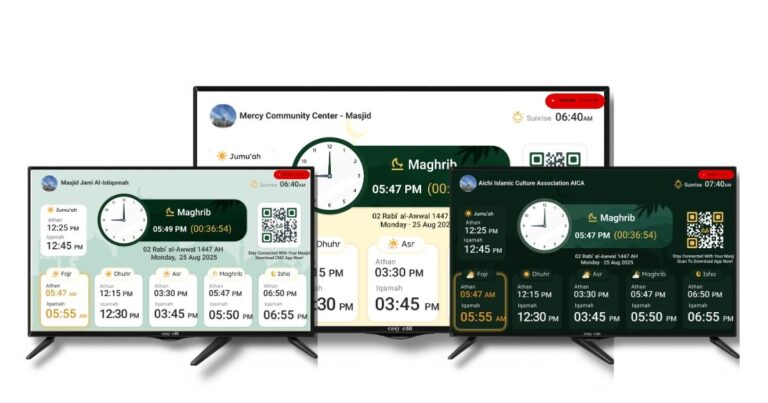
CMZ Masjid TV Offline Mode: Prayer Times That Work Without Internet

Masjid tv offline mode offline tv

What happens if the internet disconnects just before salah?

For many masjids using a digital prayer time TV for mosque announcements, this is a real concern. A frozen screen, incorrect salah countdown, or missing Jummah schedule can create confusion in the congregation.

That’s exactly why CMZ (ConnectMazjid) has introduced Masjid TV Offline Mode , a reliable upgrade to your masjid display system that keeps your screen running even when WiFi drops.

What Is Offline Masjid Display Mode?

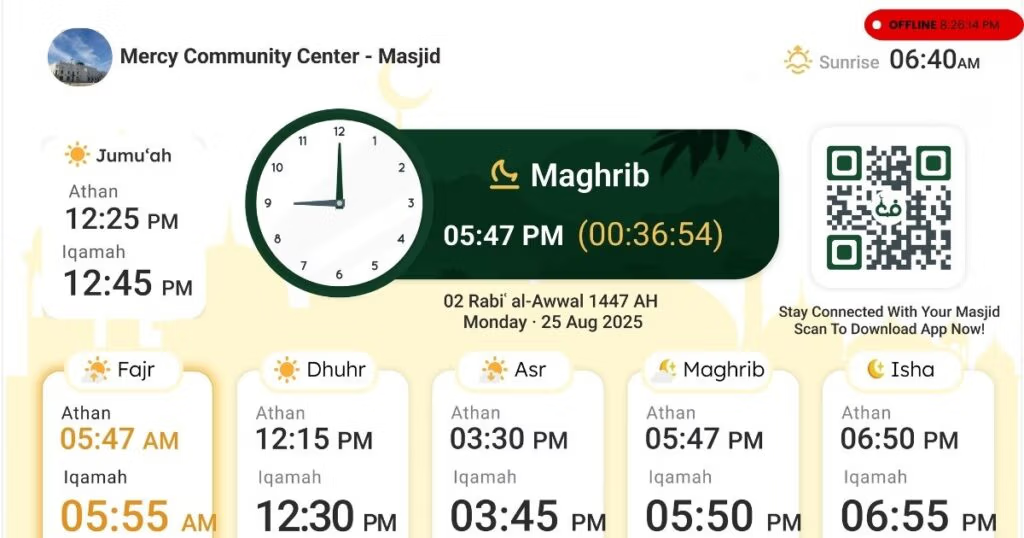
Offline Masjid Display Mode is a feature that allows a masjid display system to continue showing prayer times, announcements, and countdown timers even when internet access is unavailable.

It ensures your prayer time TV keeps running without interruption during WiFi outages.

CMZ built this feature to solve a common problem in mosques: internet instability affecting digital salah screens.

Why Internet Dependency Is a Real Problem in Masjids

Many mosque display systems rely completely on live internet access. When the connection fails:

  • Prayer times stop updating
  • Announcement slides freeze
  • Salah countdown timers disappear
  • Screens go blank

What Is Offline Masjid Display Mode?

Offline Masjid Display Mode is a feature that allows a masjid display system to continue showing prayer times, announcements, and countdown timers even when internet access is unavailable.

It ensures your prayer time TV keeps running without interruption during WiFi outages.

CMZ built this feature to solve a common problem in mosques: internet instability affecting digital salah screens.

Why Internet Dependency Is a Real Problem in Masjids

Many mosque display systems rely completely on live internet access. When the connection fails:

  • Prayer times stop updating
  • Announcement slides freeze
  • Salah countdown timers disappear
  • Screens go blank

Introducing ConnectMazjid’s Masjid TV Offline Mode

Our offline prayer display feature ensures your masjid display continues functioning even without internet access.

How CMZ’s Offline TV Mode Works

Step 1: Initial Sync (When Internet Is Available)

When your TV is connected to WiFi:

  • It syncs with the CMZ Admin Portal
  • Downloads updated Salah timings
  • Stores other Salah such as Jummah schedule, Taraweeh timings
  • Saves event details
  • Caches announcement slides

All of this data is stored securely in the device’s local browser storage or installed app storage.

This means your mosque announcement display is prepared in advance, even if the internet later disconnects.

Step 2: When the Internet Goes Down

If WiFi disconnects:

  • The masjid display does NOT stop
  • The screen continues rotating announcements
  • Salah countdown still works (based on stored timings)
  • Prayer time TV keeps functioning normally

There is no blank screen. No interruption. No panic before adhan!

Because the data is cached locally, the system continues running smoothly using previously synced information. This makes CMZ’s mosque display system ideal for areas with unstable internet connections.

Step 3: When the Internet Comes Back

Once connectivity is restored:

  • The TV automatically reconnects
  • It fetches updated timings from the CMZ Admin portal
  • Any event changes or corrections appear
  • No manual refresh required (unless device auto-reload is disabled)

Everything updates seamlessly in the background. Your masjid display stays accurate without extra effort from admins.

What Powers the Offline Masjid TV Mode?

Behind the scenes, the system uses:

  • Local browser storage/cache
  • Cached JSON data for Salah timings and announcements
  • Auto-refresh scripts that retry the connection
  • Progressive Web App (PWA) functionality is supported
    This technical foundation ensures that your offline prayer display remains stable and reliable.

What Can Be Displayed Offline?

CMZ designed this masjid TV offline mode specifically for real-world masjid conditions. Even without the internet, your masjid display system can show:

  • Daily salah timings
  • Iqamah countdown
  • Announcements
  • Ramadan schedule
  • Community events

Your digital salah screen continues to work without interruption.

Why This Matters for Your Masjid?

A modern masjid display system should:

  • Reduce admin workload
  • Prevent last-minute technical stress
  • Serve the congregation consistently
  • Function during internet interruptions
Masjid TV offline mode

With Offline TV Mode, CMZ ensures your mosque display system is reliable even without WiFi. No WiFi?No problem. Convert any TV into an  Offline TV for masajids!

Upgrade to a Reliable Masjid Display System

If your masjid is using a prayer time TV that stops working during internet outages, it may be time to upgrade.CMZ’s masjid display now supports offline functionality, ensuring your screen works when it matters most.

Upgrade your mosque display system!

Frequently Asked Questions

To set up a prayer time display without internet access, use a masjid display system that stores data locally. CMZ syncs salah timings and announcements when online, then continues displaying them even after a WiFi disconnect.

You need a TV or LED screen and a browser-enabled device like an Android TV, Fire TV Stick, or mini PC. CMZ’s masjid display system handles offline storage, so no additional hardware is required.

Offline viewing depends on the display software, not just the TV. CMZ’s masjid display works with common smart TVs and media devices, offering offline support through built-in caching technology.

Scroll to Top