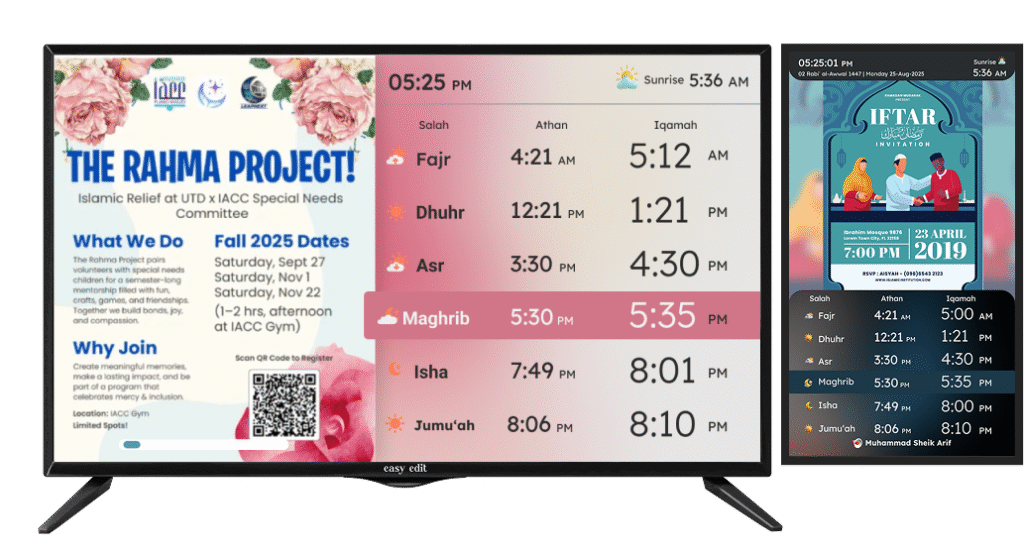
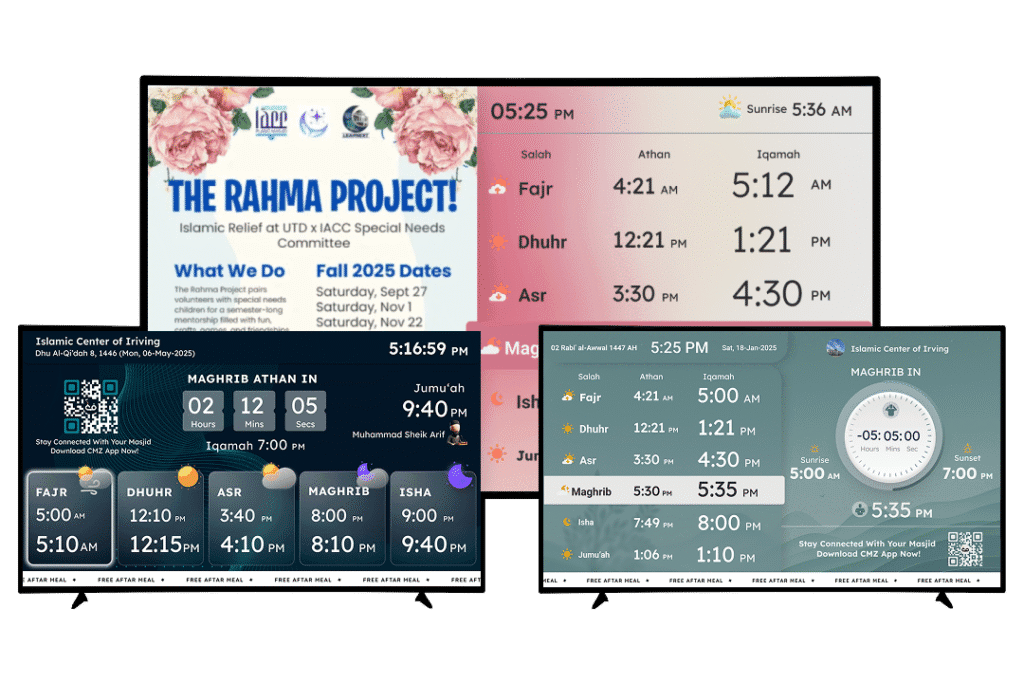
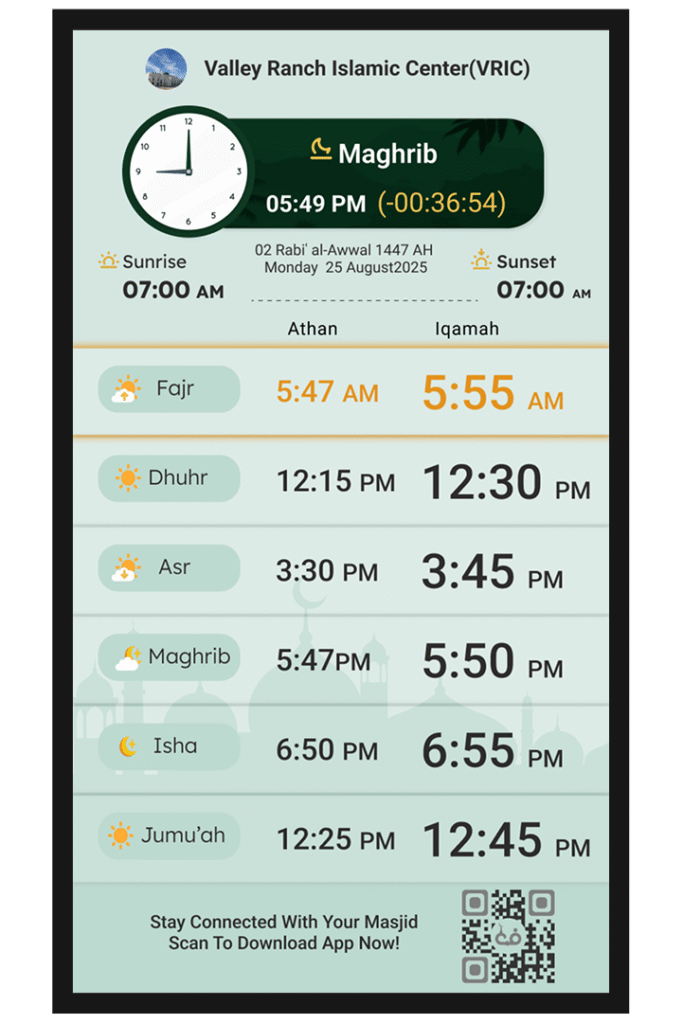
TV Display · 100% Ad-Free
Prayer times and more, on your masjid TV.
No hardware. No technician. No ads.
CMZ Masjid TV runs on the screen already mounted on your masjid wall. Install the app, enter a code, and it displays live prayer times, announcements, khutbah schedules, events and more, automatically. No hardware to buy, no ads, no IT support needed.
Setup
Three steps, and nobody has to call the volunteer who "knows computers".
01
Set up your Admin Portal
Create a free account, then enter your Athan and Iqamah times, or upload the whole year from the Excel file your committee already keeps.
02
Install the app on your TV
Get it free from Amazon Fire TV or Google TV, or open cmzapp.com/tv in any other Smart TV's browser.
03
Pair the TV with your Admin Portal
The TV shows a six-digit code. Enter it once in the portal, name the screen, and it's live, and stays live.
Themes
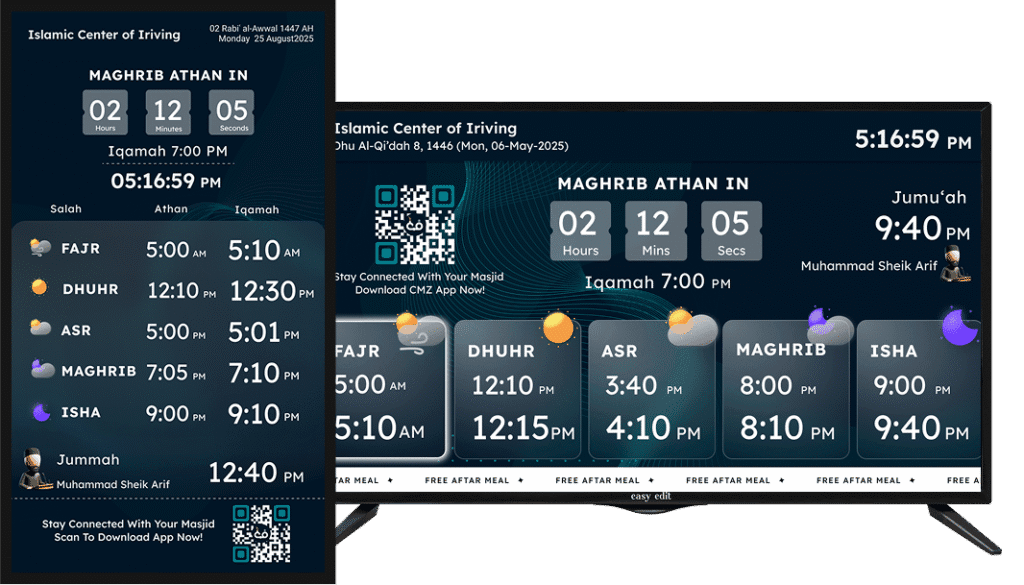
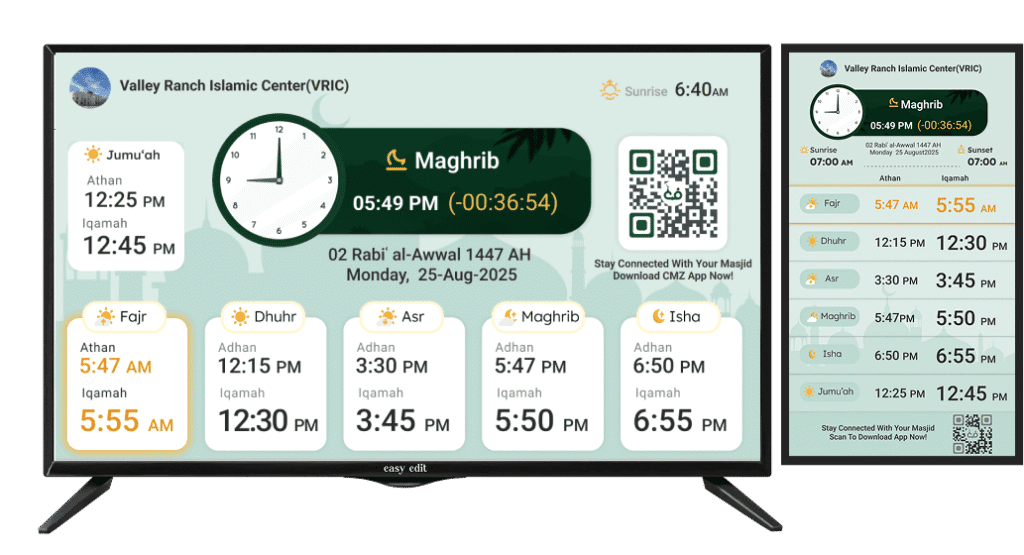
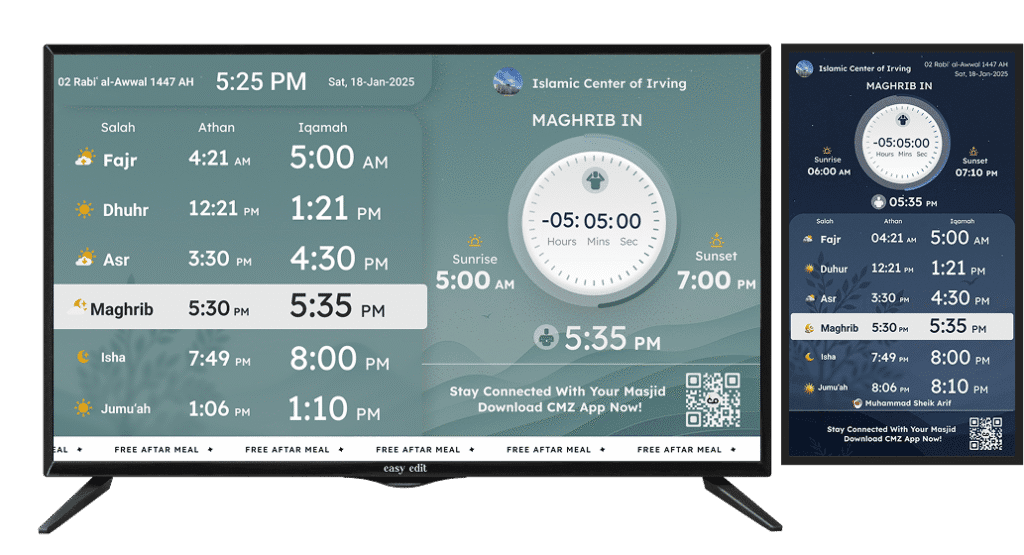
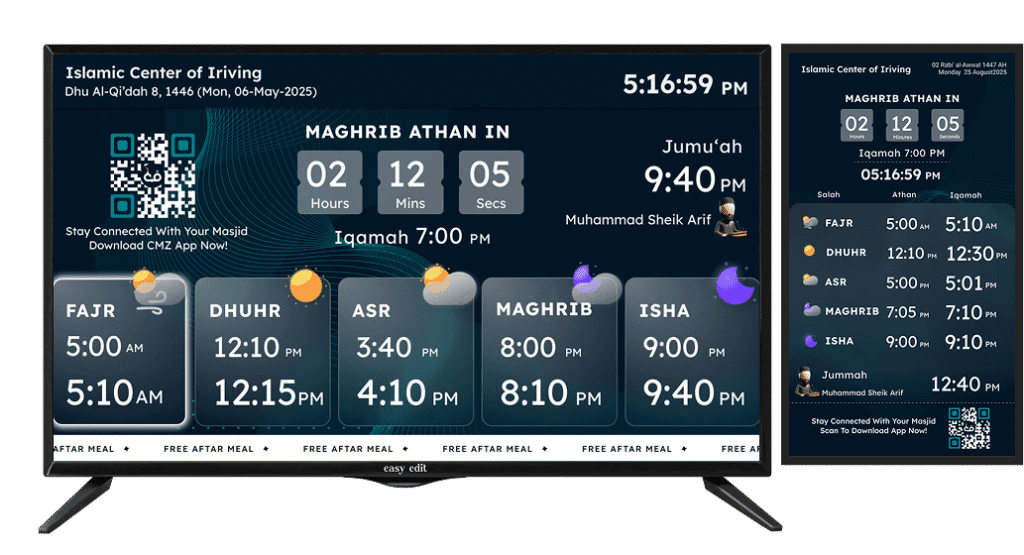
Multiple themes, tuned to your masjid's aesthetics.
Accuracy
The first question an imam asks is whether the times are right.
So we don't impose a method on you. Set the calculation your masjid follows and the screen matches the times your community already prays by, down to the jurisdiction and the latitude. All of it is free.
Your calculation method
Choose the convention your masjid follows, rather than accepting ours.
Asr jurisdiction
Hanafi or Standard, so the screen never disagrees with the imam.
Higher latitudes
For masajid in the UK, Canada and Scandinavia, where summer Fajr and Isha need rules of their own.
Hijri & sunrise adjustment
Nudge the Hijri date and sunrise to match your local moon-sighting authority.
Upload a whole year
Already have a timetable? Upload the year's Athan and Iqamah times from one Excel or CSV file, your times, exactly as your committee approved them.
Athan and Iqamah, separately
Athan follows the calculation; Iqamah is yours to set, month by month, or for the whole year.
One portal
Every screen in the masjid, always in sync.
Run the main hall, the sisters' section, the entrance and the wudhu area. Change a time once, and every screen, plus the app and your website, changes with it.
- Unlimited screens on one free account
- Name each one: Main Hall, Lobby, Sisters' Section
- See at a glance which screens are online
- A different theme on each, if you want
- Custom branding, your masjid's name, not ours
- Audio beep and auto-blackout at prayer time
- Available in multiple languages
Any screen
Portrait or landscape, whatever's already at your masjid.
Mount a vertical screen by the entrance, or a wide TV in the main hall. The layout adapts on its own and stays readable from the back row.
- Vertical layouts for entrances and narrow walls
- Wide layouts for main prayer halls
- Fits any size, from a 32" TV to a video wall
On screen
What your congregation actually sees.
Here is what your community sees on the screen, all managed from one portal.
Multiple languages
Run each screen in the language of the people standing in front of it.
Prayer blackout
The screen darkens by itself the moment Salah begins, no glow in front of the rows, and wakes again afterwards.
Audio notifier
A subtle cue at Athan and Iqamah, enough to turn heads, without an adhan booming through the hall.
Flyers & notice board
Rotate the janazah notice, the fundraiser, the weekend classes, between prayer times.
This week's Khateeb
Name the Jumu'ah Khateeb on the screen, so people know before they set out.
Full display countdown
A large, unmissable countdown to the next Salah, readable from the very back of the hall.
Prohibited-time alerts
The screen marks the times when prayer is not permitted, sunrise, zawal and sunset, so nobody is caught out.
No ads. Not now, not later.
Some free display apps pay for themselves by putting advertising on your wall. A masjid wall isn't advertising space, so there are no ads on any plan, including the one that costs nothing.
Questions
What committees ask us.
Is CMZ Masjid TV really free?
Yes. The TV display itself is free, not a trial, not free-for-now. Live Athan and Iqamah times, unlimited screens, multiple languages, and every accuracy setting cost nothing on the CMZ Core plan, and there are no ads on any plan. A few extras, like auto-blackout, the audio notifier and full-screen countdown, are part of an optional premium package, but you never need them to run a proper display.
Do I need to buy a TV or a special box for CMZ Masjid TV?
No, and this is where we differ from an Athan clock. Use the TV that's already at your masjid. Amazon Fire TV, Google TV and Android TV, including TCL sets, have a dedicated app you install from their store. Every other Smart TV, LG, Samsung, Vizio, Hisense, opens cmzapp.com/tv in its browser. Nothing extra to buy.
How do I set up prayer times on my masjid's TV?
Enter your Athan and Iqamah times once in the Admin Portal, or upload the whole year from an Excel or CSV file. You pick the calculation method, the Asr jurisdiction and higher-latitude rules, so the times match exactly what your community already prays by. From then on the screen updates itself.
Can I update announcements and events remotely, without going to the masjid?
Yes. Everything is managed from the Admin Portal, on your phone or laptop, from anywhere. Post an announcement or add an event and it appears on every screen, the mobile app and your website at the same time. Nobody has to touch the TV.
What TVs and devices does CMZ Masjid TV support?
Amazon Fire TV, Google TV, Android TV and TCL have a dedicated app. Every other Smart TV, LG, Samsung, Vizio, Hisense and the rest, runs the display through its own web browser at cmzapp.com/tv. If a TV can open an app or a website, it works, so there's no brand you can't use.
Can I upload a full year of prayer times at once?
Yes. Download the Excel or CSV template, fill in your Athan and Iqamah times for the year, and upload it in one go. The screen shows exactly the times your committee approved, no daily editing.
Can I run multiple TV screens in different parts of the masjid?
Yes, and it's free. Run the main hall, the sisters' section, the entrance and the wudhu area on one account. Name each screen, give each its own theme if you like, and see from the portal which are online and when they last checked in.
Does CMZ Masjid TV need an internet connection?
Today, yes, the display pulls your times and updates over the internet, so a normal Wi-Fi connection is all you need. An offline mode is on the way, so the screen will keep showing the right times even if the connection drops.
How is this different from a dedicated Athan clock or prayer-time box?
An Athan clock is a single-purpose device you buy, mount and update by hand. CMZ Masjid TV runs on a screen you already own, updates itself from one portal, and does far more, announcements, events, flyers, the Jumu'ah Khateeb, donations, and it's ad-free. One update reaches your screens, your app and your website together, which a standalone box can't do.
Can we set it up today, not next week?
Yes. Create a free account, add your times, open the app on the TV, and enter the pairing code. It's live in under two minutes, today.
Put it at your masjid today.
Free on CMZ Core. No hardware, no credit card, no ads, and 800+ masajid already running it.