Make us preferred on Google

Personal TV · CMZ's Safa TV

Bring a calm Islamic display into your everyday space.

CMZ's Safa TV turns a compatible TV or display into a beautiful source of Salah times, Athan and Iqamah audio, and timely Islamic reminders, at home, at work, or in a shared prayer space.

  • Guided setup
  • Location or masjid connection
  • Automatic Jumu'ah support
CMZ's Safa TV displaying prayer times on a television in a modern living space
HomesPrayer roomsOfficesCommunity spaces

Designed for daily worship

Everything your screen needs. Nothing it doesn't.

A focused display that keeps prayer information visible, useful and beautifully presented throughout the day.

Clear Salah timings

Keep the key prayer information visible on a large screen, with a layout made for comfortable viewing from across the room.

Athan & Iqamah audio

Support the rhythm of the day with audio for the Athan and Iqamah, played through the Safa TV experience.

Automatic Jumu'ah support

Friday prayer information appears appropriately, without making the weekly setup feel like a manual task.

Location-based setup

Configure Safa TV using a location when you want an independent display, without linking it to a masjid.

Link to your masjid

Connect to a masjid when you prefer your screen to follow the information that community manages.

Guided TV setup

Move through a simple setup that configures the display with less uncertainty and fewer steps.

Personal Display setup

From first launch to a live prayer screen.

Slide through the setup. Each screen is annotated so you know exactly what to do.
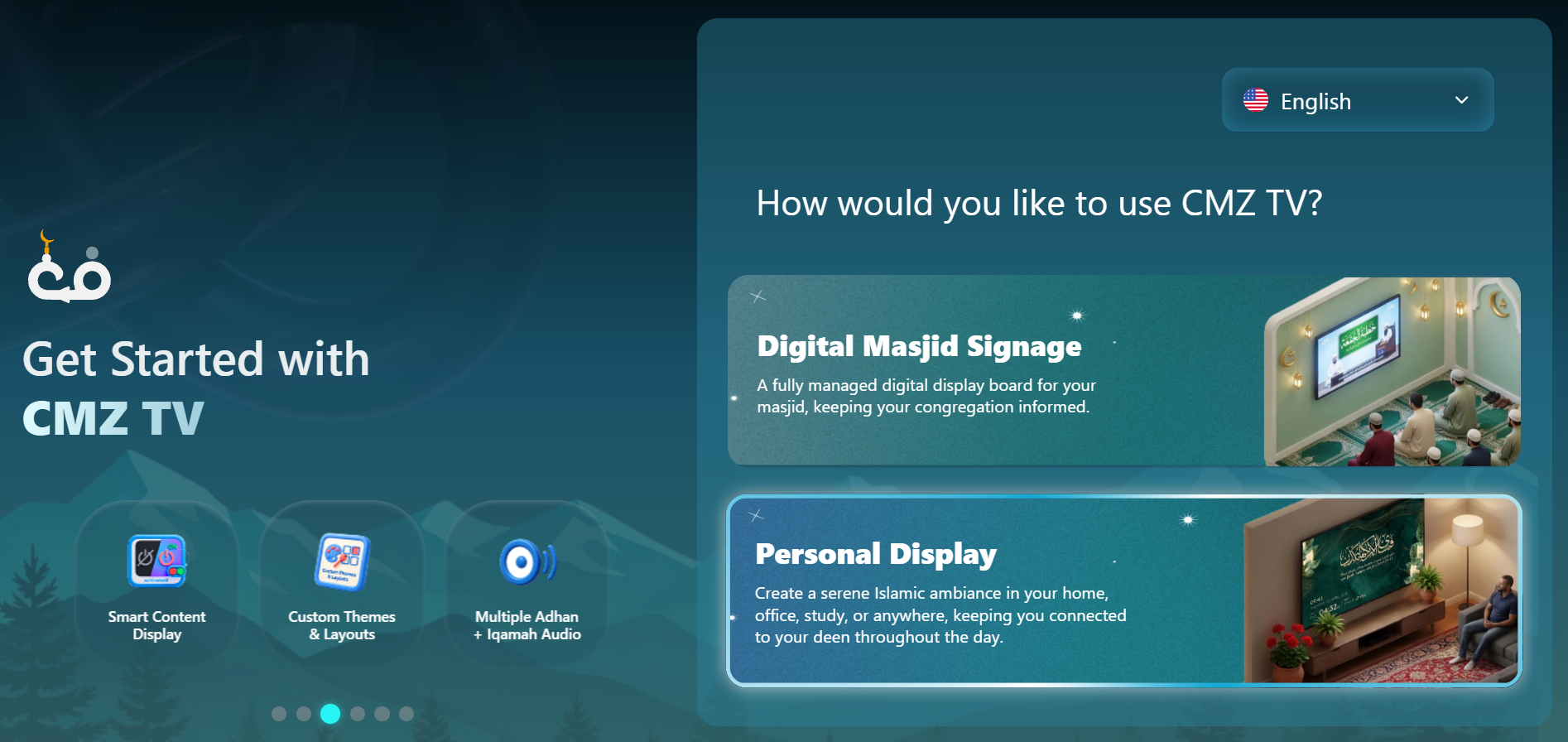
Choose Personal Display
1

Digital Masjid Signage

The other mode: a managed display for a masjid.

2

Personal Display

Your pick, a serene Islamic screen for home, office or shop.

3

Made for you

Smart content, custom themes and Adhan + Iqamah audio.
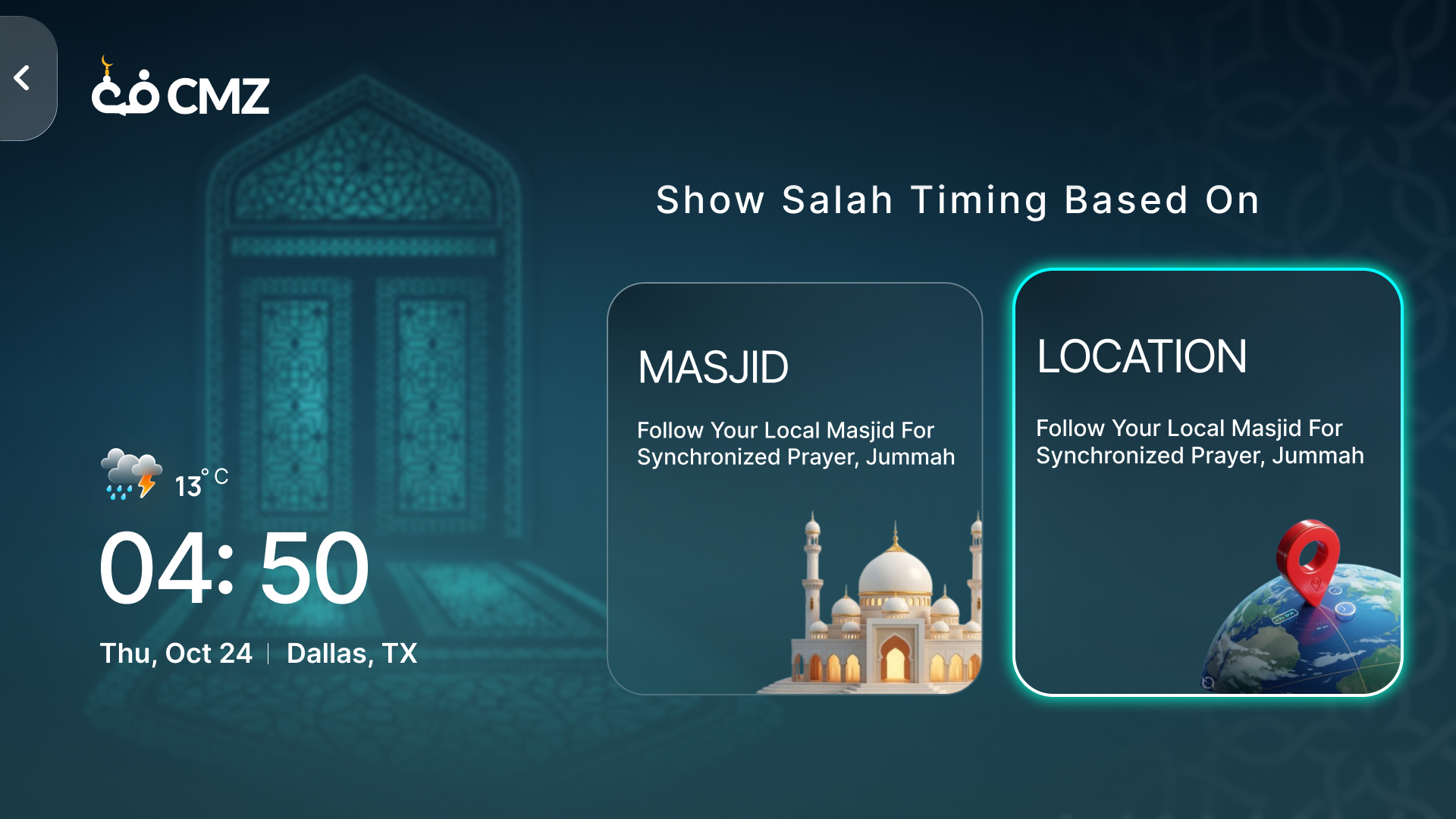
Pick your timing source
1

Live clock & weather

Time, date and weather for your place, always on the left.

2

Masjid

Follow a specific masjid's schedule.

3

Location

Selected here, prayer times are calculated from your location.
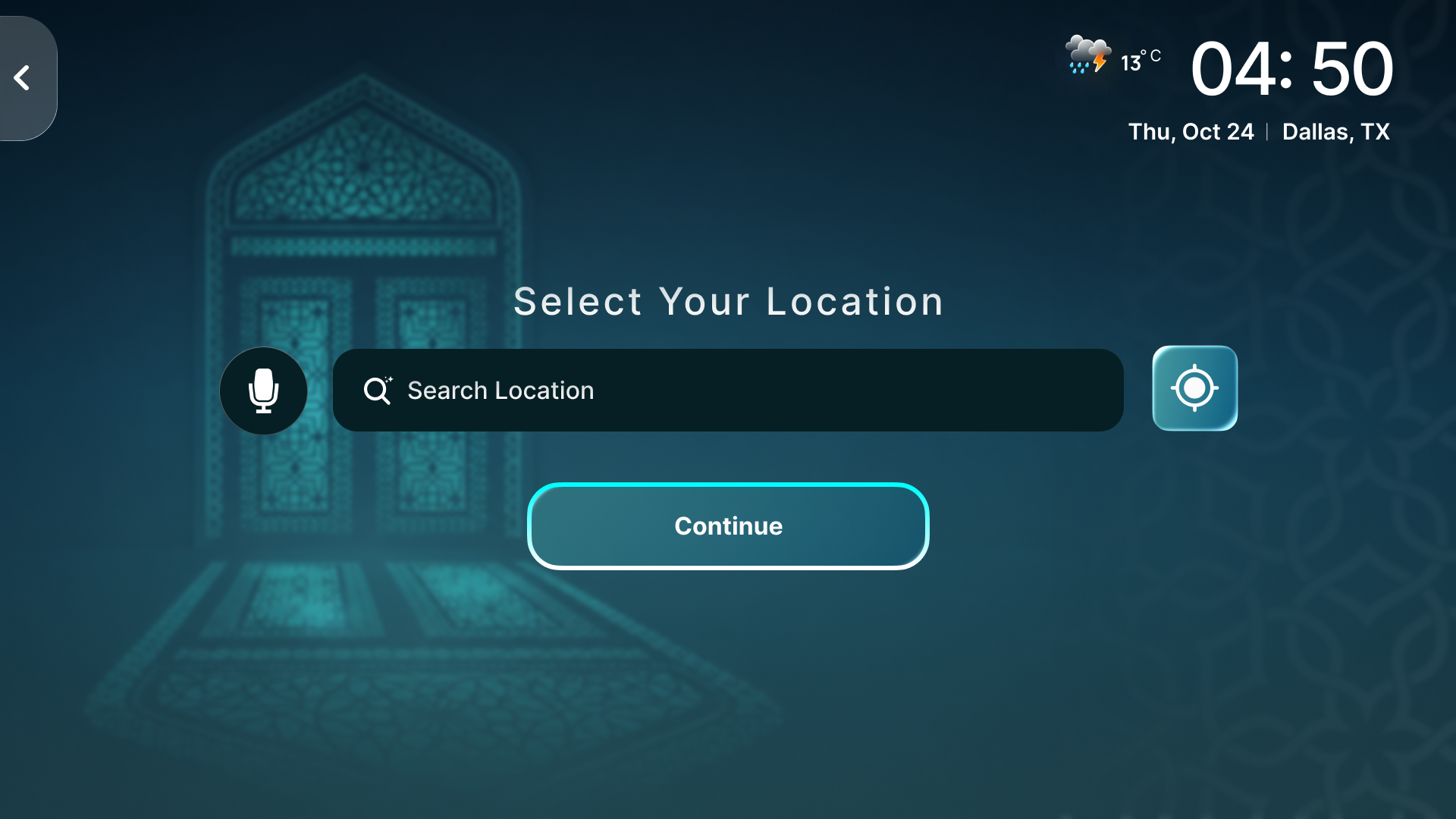
Set your location
1

Search your place

Type your city, area or region.

2

Use current location

Or tap the target icon to auto-detect.

3

Continue

Confirm your choice and move on.
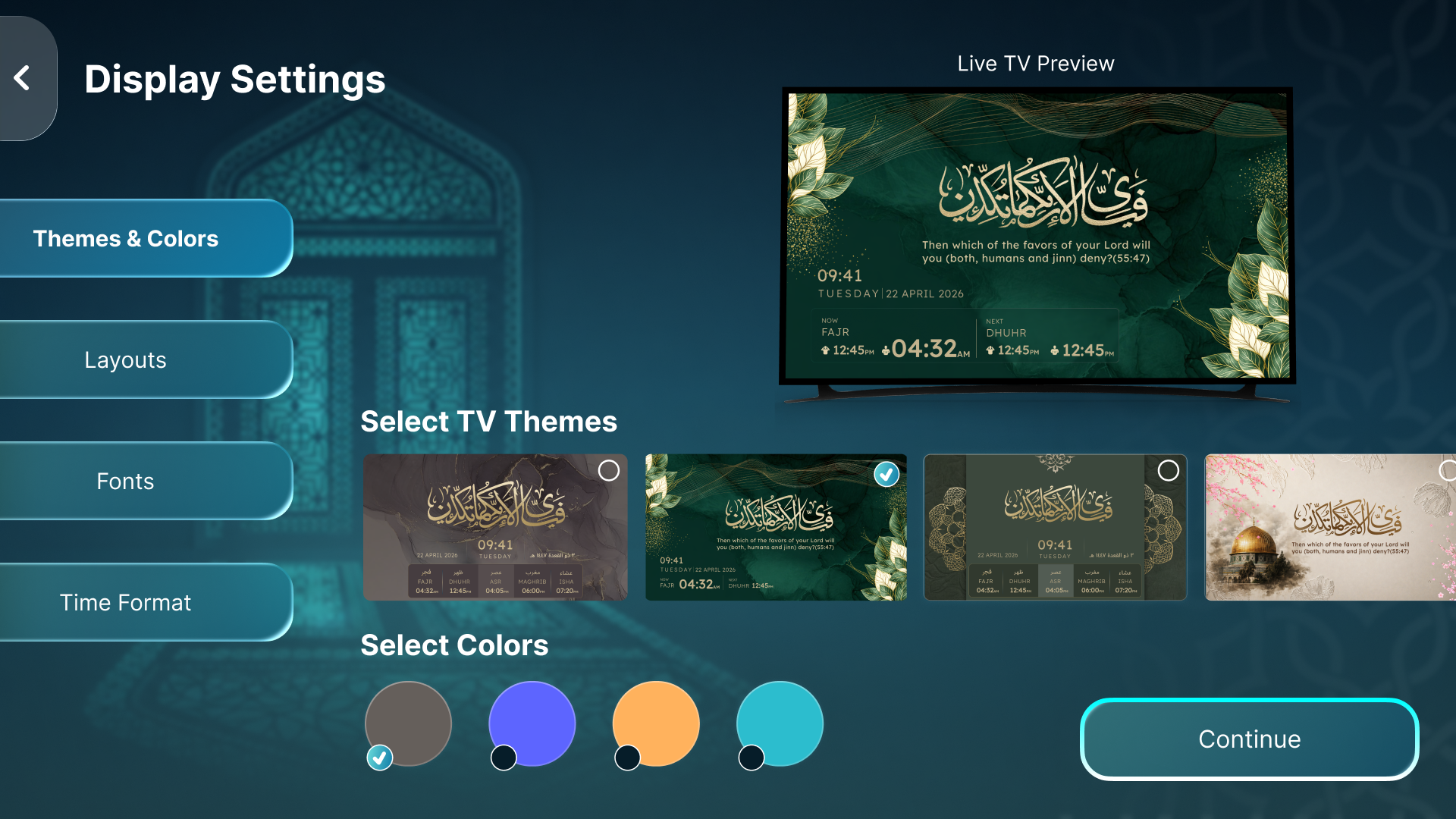
Design your display
1

Pick a section

Themes, Layouts, Fonts and Time Format.

2

Live TV preview

See every change instantly.

3

Choose a theme

Backgrounds, artwork and colours.
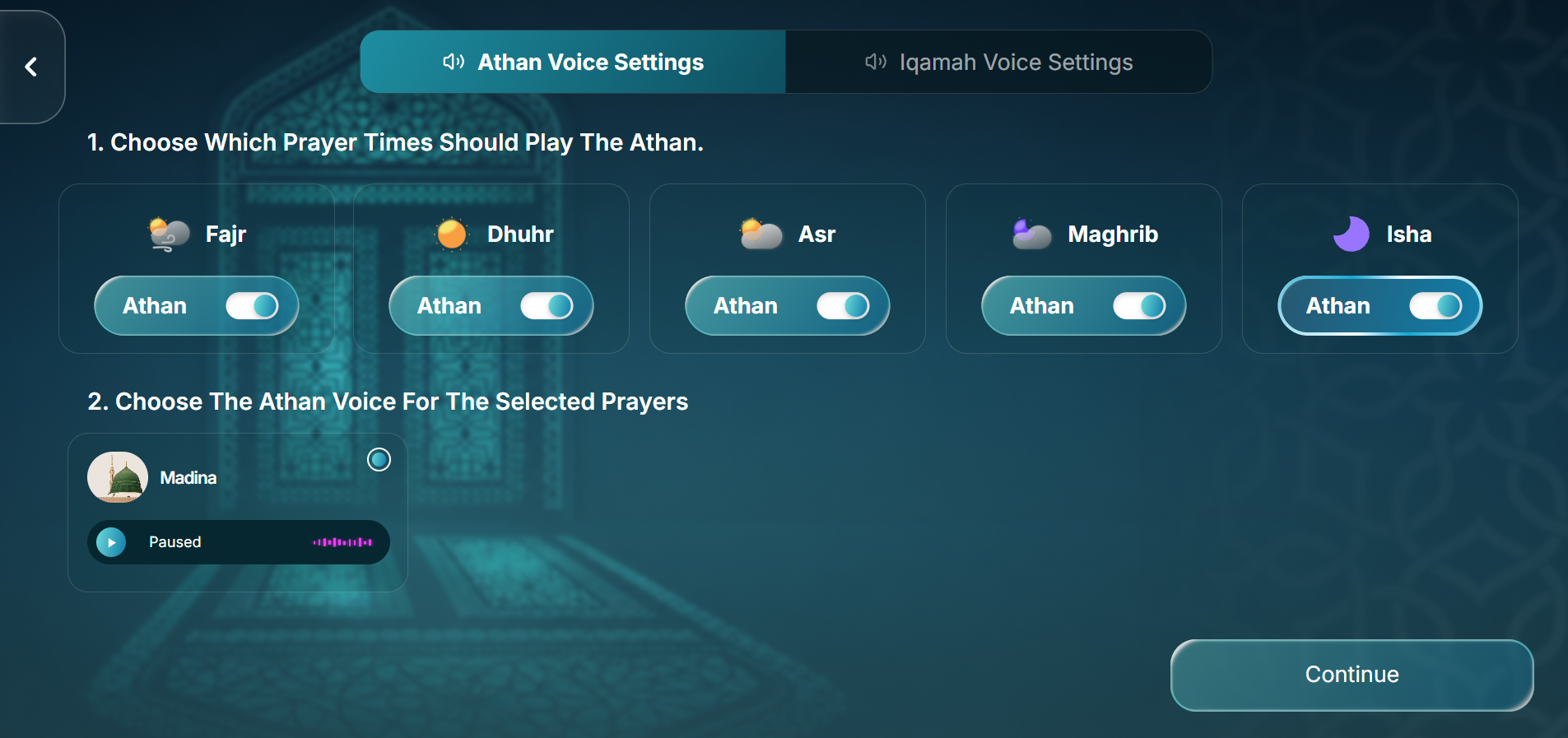
Set the Athan audio
1

Two audio tabs

Athan and Iqamah are set separately.

2

Per-prayer toggles

Turn the Athan on or off for each Salah.

3

Choose a voice

Pick a voice like Madina and preview it with Play.
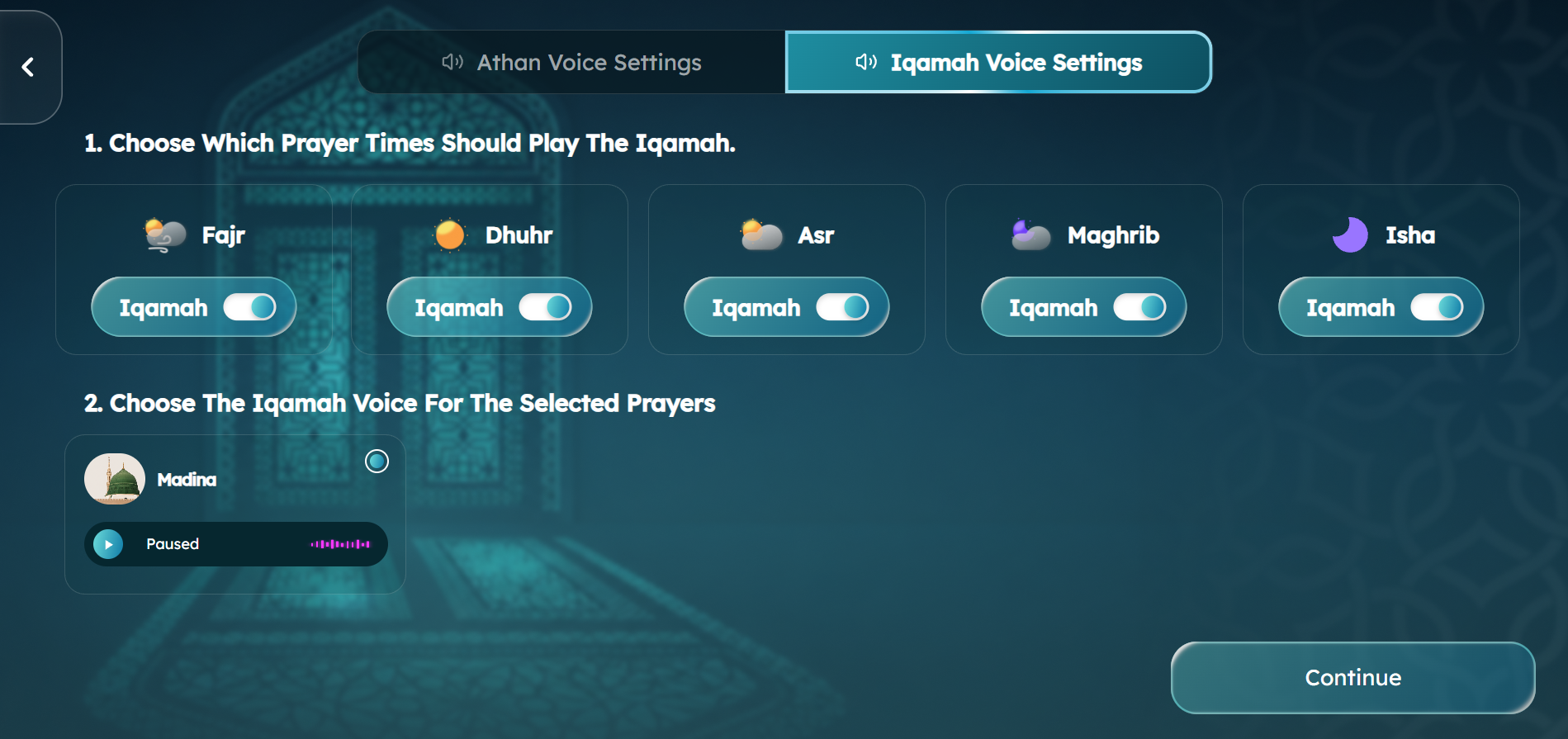
Set the Iqamah audio
1

Iqamah tab

Independent from the Athan settings.

2

Per-prayer toggles

Enable the Iqamah audio per Salah.

3

Choose a voice

Select and preview the Iqamah voice.
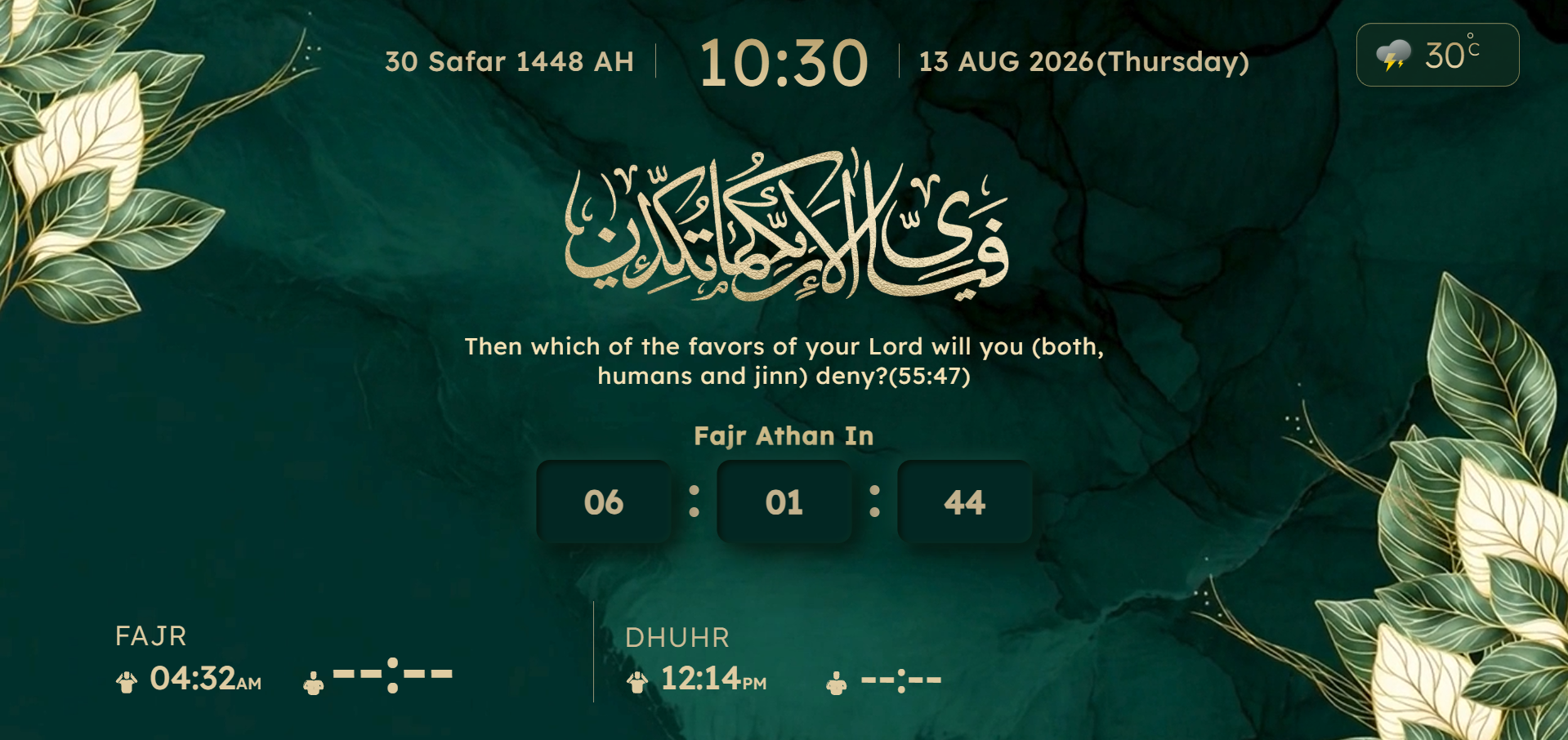
Your display goes live
1

Time & dates

Current time with the Hijri and Gregorian dates.

2

Weather

Local weather and temperature.

3

Next Athan countdown

Which Salah is next, and the time remaining.

4

Salah times

Fajr, Dhuhr and more. Iqamah shows --:-- when unset.

01 / 07

Simple from the beginning

Set it up in three clear steps.

01

Open Safa TV

Launch the Safa TV experience on your compatible screen and begin the guided setup.

02

Choose your source

Use your location for an independent setup, or connect the display to a masjid you follow.

03

Let the screen do its job

Keep the display visible for daily Salah information, Athan, Iqamah and Jumu'ah support.

What is CMZ's Safa TV?

An Islamic information display for a compatible TV or screen.

Safa TV is designed for anyone who wants prayer information to stay visible in a home, office or shared prayer space. It can be set up with a location or a linked masjid, and includes Athan and Iqamah audio plus automatic Jumu'ah support.

  • Built for large-screen readability
  • Independent or masjid-linked setup
  • Designed around the daily prayer rhythm

Frequently asked questions

Helpful answers before you begin.

What is CMZ's Safa TV?

Safa TV is an Islamic TV display experience for showing Salah information and supporting Athan and Iqamah audio on a compatible screen.

Do I need to connect it to a masjid?

No. You can configure Safa TV using a location. Connecting it to a masjid is an option for when you want to follow that masjid's managed information.

Does it include Athan and Iqamah audio?

Yes. Athan and Iqamah audio are part of the Safa TV experience. The published compatibility notes explain supported devices and audio behaviour.

How does Jumu'ah support work?

Safa TV includes automatic Jumu'ah support, so the Friday prayer display adapts without the same manual changes every week.

Which TVs and devices are compatible?

Safa TV is designed for supported Smart TVs and compatible streaming devices. Check the compatibility guide before setup to confirm support for your television or device.

Ready for a calmer screen?

Make prayer part of the room, not another app to remember to open.

Get the CMZ app to begin, or follow CMZ on Instagram for product updates, new features and Safa TV inspiration.

Scroll to Top