
9 Things a Mosque TV Display Should Do Beyond Showing Prayer Times
A mosque TV display has a bigger job than listing five prayer times. People glance at it before Salah, after Salah, on Fridays, and when they walk in for an event. The right setup answers their questions, highlights live donation progress, and keeps the community informed with Ramadan countdowns without making your admin team update several systems every day.
Use the checklist below before you choose a system. It also explains how setup works, so you know what you're signing up for.
Ready to Upgrade Your Masjid TV Display?
Explore ConnectMazjid's mosque TV tools for prayer schedules, announcements, and community updates.
Get Started with ConnectMazjid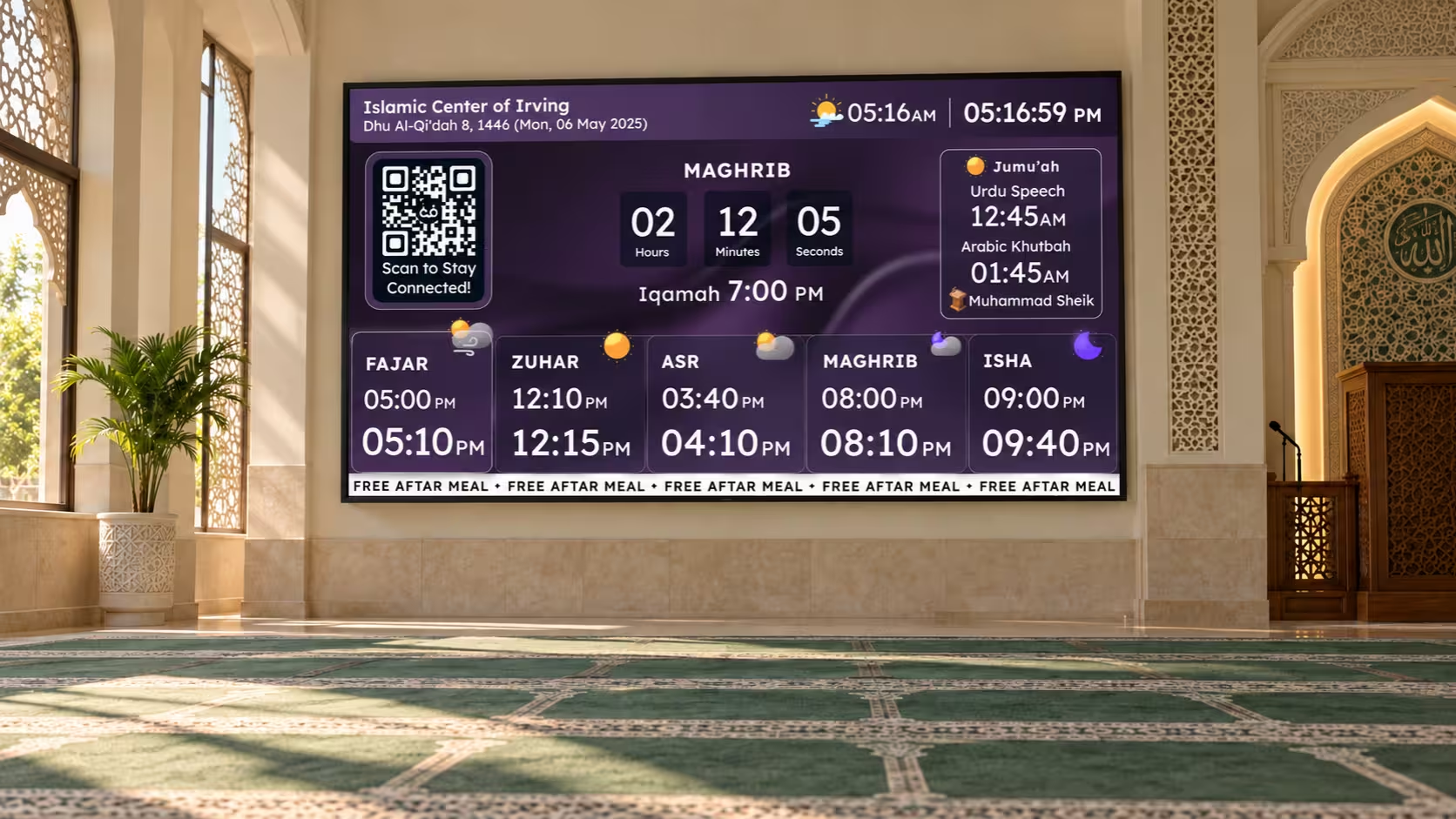
What Should a Mosque TV Display Actually Show?
Start with the essentials: Athan times, Iqamah times, the next prayer, and Jumu'ah information. They should be easy to read from the back of the prayer hall.
Timings change, though. Iqamah shifts with the seasons, Jumu'ah may have more than one service, and Ramadan or special events bring their own schedules. Your screen should make those changes obvious, so nobody has to compare a printed timetable with the TV.
A good mosque TV display also leaves room for announcements, flyers, events, live fundraising updates, Ramadan countdowns, and urgent notices. The goal isn't to fill every inch of the screen. It's to show the right information at the right time.
9 Things to Check Before You Choose
Athan and Iqamah Are Clearly Separated
If the two look alike, the screen creates more questions than it answers. For example, place Athan and Iqamah in separate columns with different colors, so anyone can read the schedule at a glance.
Iqamah Changes Are Easy to Notice
When a new time simply replaces the old one, regular attendees miss it. Look for a system that highlights an upcoming change in advance, such as a banner saying the Isha Iqamah moves later from next week.
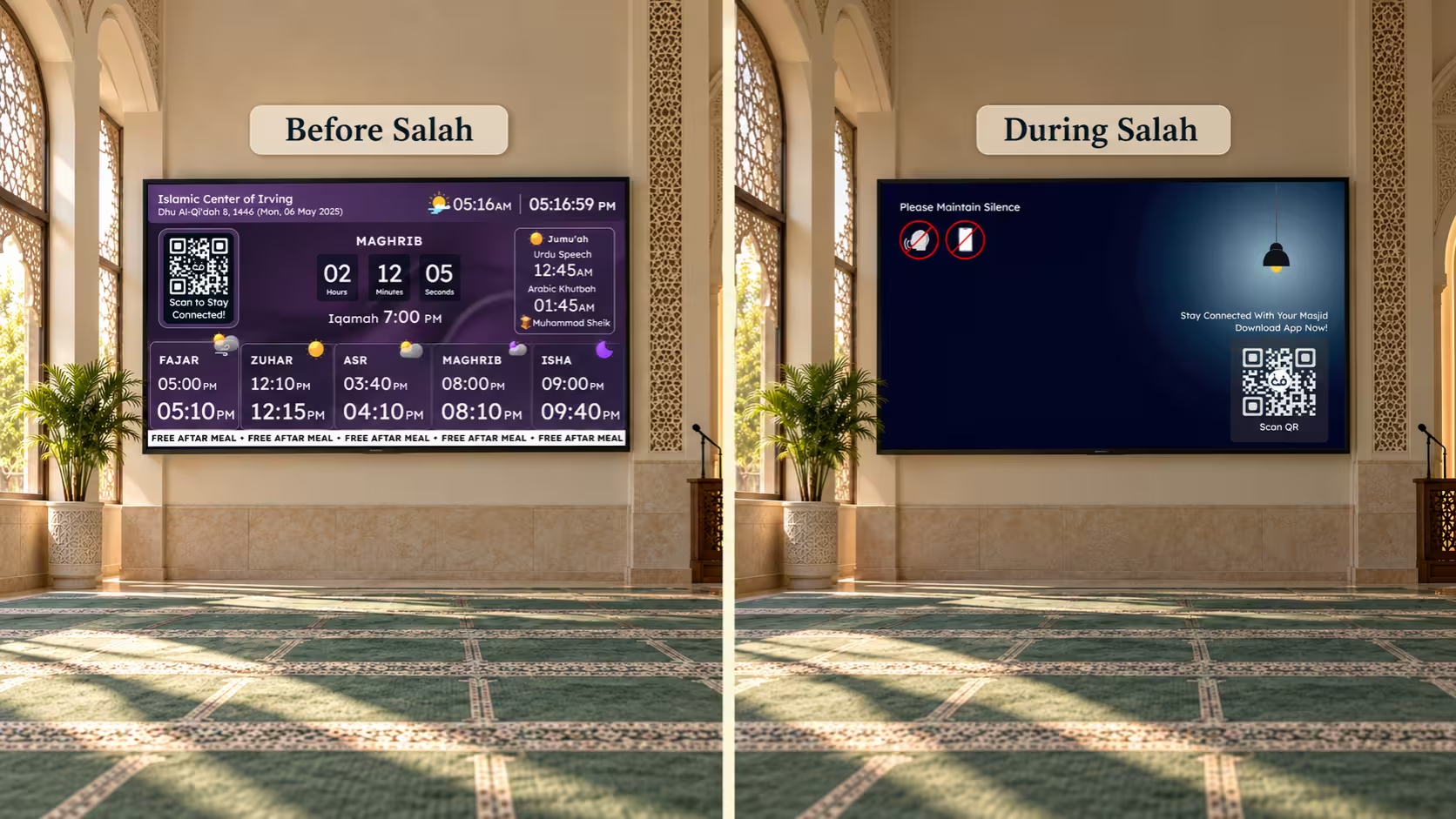
The Screen Steps Back During Salah
A bright, rotating screen is distracting once congregational prayer begins. A prayer blackout or a fixed Salah screen lets the display get out of the way, then return afterward.
It Handles Prohibited Prayer Periods
Some masjids want sunrise, zawal (when the sun is at its highest point), and sunset clearly marked as times when voluntary prayer is prohibited. If that matters to you, check that these alerts can appear on the same screen as the daily schedule.
Jumu'ah Gets Its Own Treatment
Friday isn't just another Dhuhr entry. You may need multiple Jumu'ah times, the Khateeb's name, or other Friday details. Make sure the system fits the way your masjid actually runs Jumu'ah.
Community Content Doesn't Bury Prayer Information
Flyers, classes, fundraising messages, and QR codes are useful, but Salah information should stay easy to find. A simple test: if someone can't spot the next prayer within a couple of seconds, the layout has too much going on.
You Can Manage Updates From One Place
If every screen needs separate edits, small schedule changes become a chore. With central management, your team updates once and every connected screen stays aligned.
Live Donations Show Fundraising Progress
During a Ramadan appeal, mosque expansion, or community fundraiser, a static donation notice can quickly be overlooked. A live mosque donation display can make the campaign more visible by showing the amount raised and progress toward the goal.
Look for features that help worshippers understand the campaign at a glance:
- Live donation totals: Display updated fundraising amounts as donations are recorded.
- Donation thermometer: Show visual progress toward a fundraising target.
- Donation QR codes: Allow worshippers to scan the screen and contribute from their phones.
- Multiple campaigns: Highlight Zakat, Sadaqah, masjid construction, and Ramadan programs.
- Community updates: Make it easy for donors to see how close the campaign is to its goal.
Example: Masjid Expansion Fund
$35,000 Raised of $50,000 Goal
Illustrative fundraising display. Not live donation data.
These displays can be especially helpful before or after Jumu'ah, during Ramadan fundraising events, and at community gatherings. Keep fundraising content readable without covering essential Salah times.
Ramadan Countdowns Get Special Attention
Ramadan brings daily changes to how worshippers use the masjid. A dedicated Ramadan countdown TV display can highlight important moments without forcing people to hunt through announcements or printed calendars.
- Countdown to Ramadan: Build anticipation before the blessed month begins.
- Iftar countdown: Show time remaining until Maghrib and the fast-breaking time.
- Suhoor and Fajr times: Help worshippers follow the daily fasting schedule.
- Taraweeh information: Keep prayer schedules and nightly program details visible.
- Last ten nights: Highlight Qiyam, I'tikaf, and other special community programs.
- Ramadan fundraising: Pair appropriate countdown information with donation progress and QR codes.
Example Ramadan TV Announcement
Ramadan Mubarak
Iftar in 01:25:30
Illustrative countdown only; not a live prayer time.
For an effective screen, make the Iftar countdown prominent while keeping Maghrib, Iqamah, and other important information easy to read. Check which Ramadan-specific display options your provider supports.
During Ramadan: A mosque TV can bring together the Iftar countdown, Taraweeh announcements, and live progress toward a Ramadan fundraising goal. Used thoughtfully, the combination keeps worshippers informed and makes donation opportunities more visible.
A few more questions to ask any provider: Will it work with the TV you already own? Can volunteers update it without training? Is the text readable from the back row? What happens if the internet drops? Does it support the languages your community reads?
How Mosque TV Display Setup Works
Setup comes down to three steps:
Want to see it on screen? Watch the step-by-step tutorial video.
Where ConnectMazjid Fits
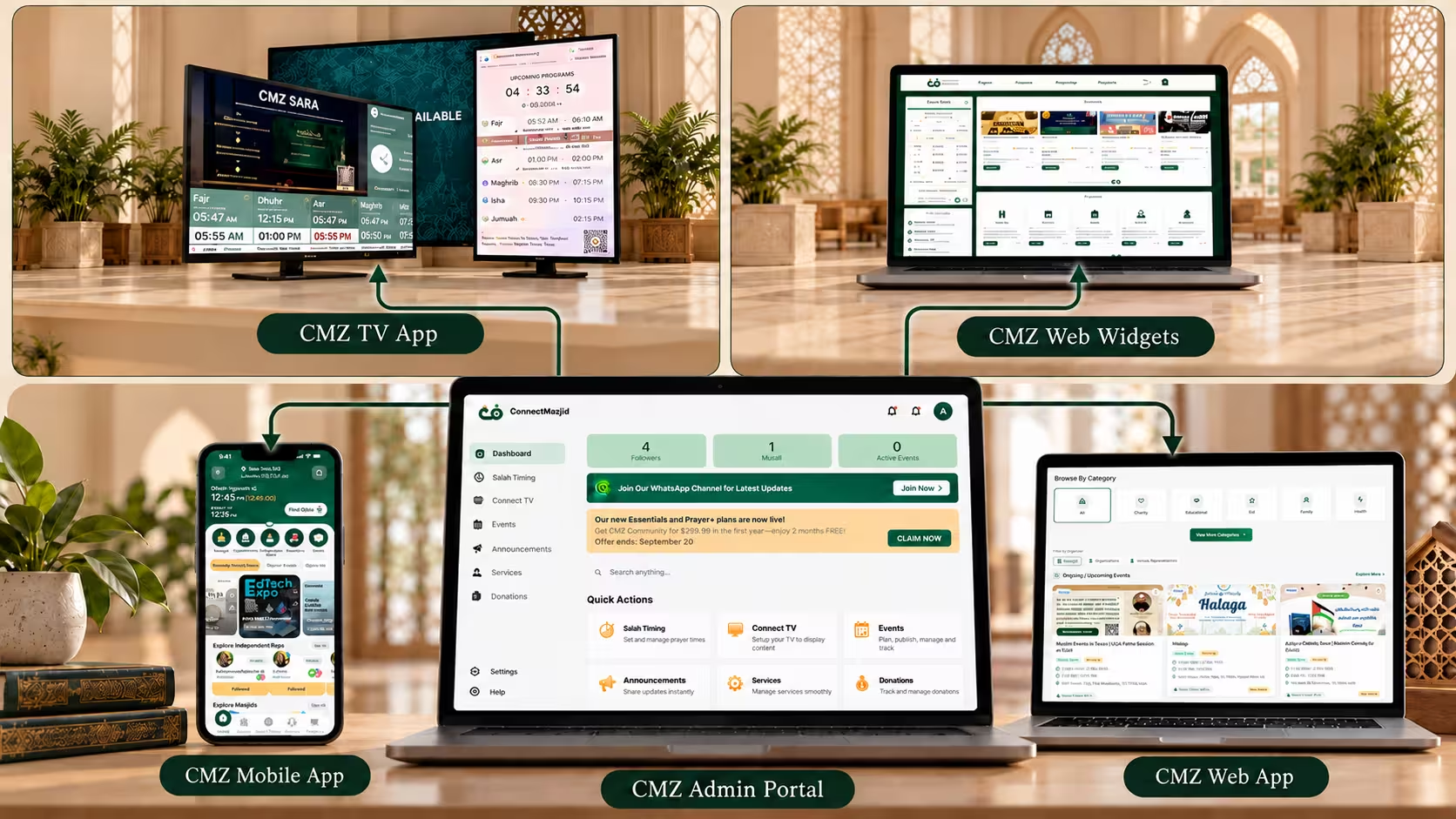
ConnectMazjid (CMZ) designed its Masjid TV around these prayer-hall needs. From the CMZ Admin Portal, you can manage Salah and Iqamah timings, Jumu'ah information, announcements, flyers, themes, countdowns, prayer blackout, and prohibited-time alerts. For fundraising and Ramadan, ask about live donation progress, QR code appeals, Iftar countdowns, and Ramadan-specific schedules.
You can also connect multiple screens, such as the prayer hall, entrance, sisters' area, or overflow space, and manage each one from the same portal.
The bigger advantage is consistency. CMZ keeps supported information connected across its TV display, mobile app, web app, and website widgets, so your mosque TV display isn't a separate system your team has to maintain on its own.
FAQs
What Is a Mosque TV Display?
It's a digital screen inside a masjid that shows prayer times, Iqamah, Jumu'ah information, announcements, events, and other community content.
Can a Mosque TV Display Show Iqamah Changes?
Yes, if the platform supports it. Choose one that highlights upcoming changes in advance instead of just replacing the old time.
Can I Use an Existing Smart TV?
Often, yes. CMZ supports compatible Smart TVs, Android/Google TV devices, Amazon Fire TV, and a browser-based option, so you may not need dedicated signage hardware.
Should the TV Stay Active During Salah?
Many masjids prefer a blackout or static prayer screen so moving content doesn't distract worshippers. A good system lets you choose.
Can Different Screens Show Different Content?
Yes. A multi-screen system can give each screen its own settings or theme while you manage everything centrally.
Can a Mosque TV Display Show Live Donation Progress?
Yes, when the display is connected to a supported donation or fundraising system. Live totals, goal progress, donation thermometers, and QR codes can help masjids make fundraising campaigns easier to follow. Confirm the available integrations with your provider.
Can a Mosque TV Display Show Ramadan and Iftar Countdowns?
A Ramadan-ready TV display can highlight an Iftar countdown, Suhoor and Fajr timings, Taraweeh details, and community programs. Check whether your display platform offers the specific countdown and scheduling options your masjid needs.
Choose a Mosque TV Display for Daily Use, Not Just the Demo
A mosque TV display can look impressive in a demo, but the real test is how it handles Fajr, Jumu'ah, seasonal Iqamah changes, announcements, Ramadan countdowns, live donation campaigns, and Salah itself. Run this checklist against your masjid's actual week, not an ideal one.
Ready to See It in Action?
Discover how ConnectMazjid can simplify your mosque TV display management and help your community stay connected.
Get Started with ConnectMazjid