
Iqamah Display: 4 Prayer Schedule Challenges Masjids Can Solve
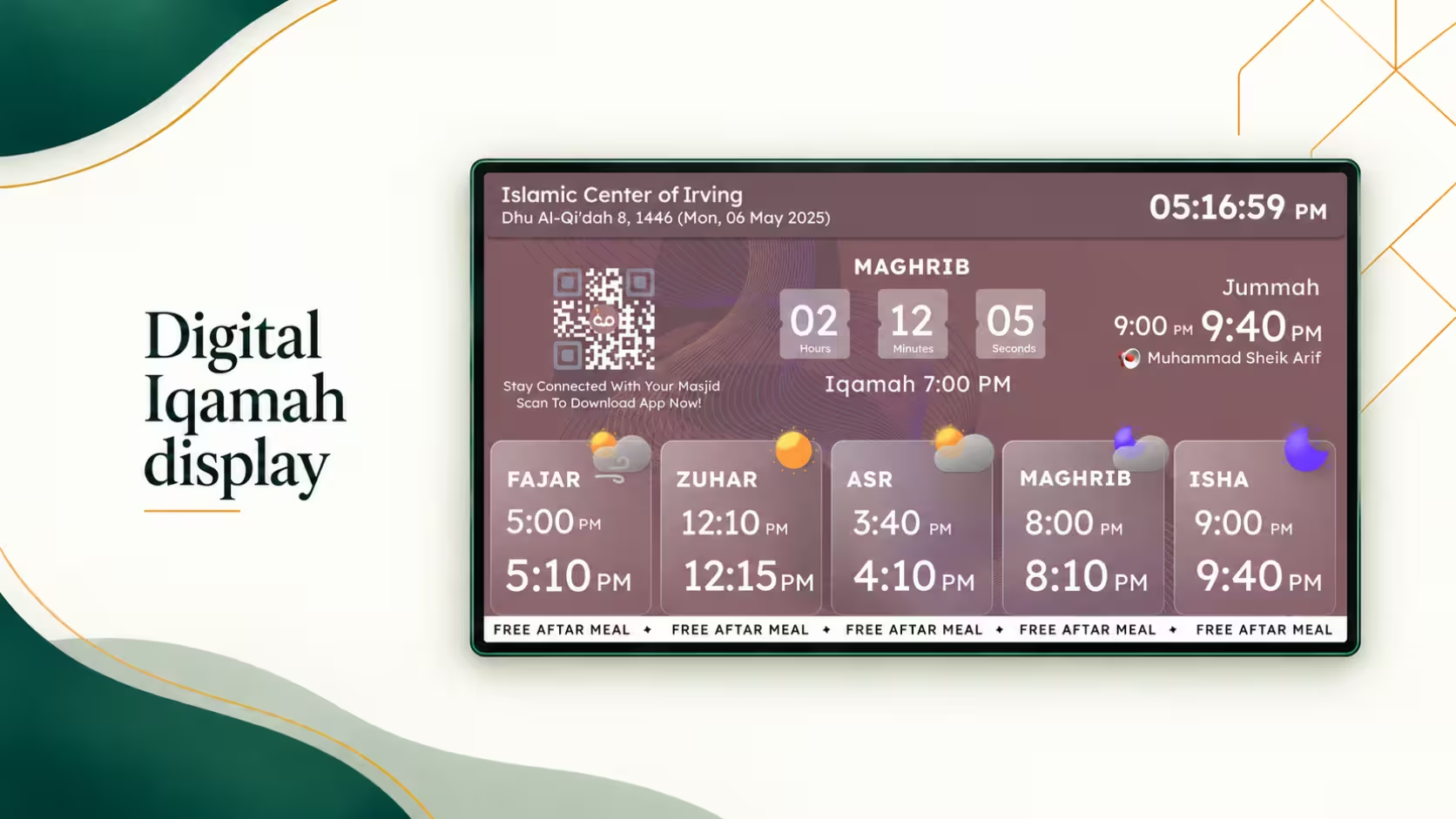
An Iqamah display should make prayer times easier to follow, not leave worshippers guessing when congregational Salah will begin. Yet keeping a masjid's Iqamah prayer times accurate can become challenging during Ramadan, seasonal timetable changes, and busy Jumu'ah gatherings.
A reliable digital Iqamah display helps masjid administrators communicate the approved congregation schedule through clear prayer time screens. With a connected mosque Iqamah schedule, volunteers can manage updates more efficiently while worshippers see consistent information.
But what happens when the usual prayer schedule changes unexpectedly?
Let's explore four everyday challenges and practical ways to manage them.
🕌 Make Your Masjid's Iqamah Timings Easier to Manage
Sign Up Free with ConnectMazjid → Explore Masjid TV FeaturesWhat Makes Iqamah Scheduling Challenging?
Imagine arriving at a masjid for Isha at 8:15 PM, only to discover that the congregation started 10 minutes earlier.
The noticeboard shows one time, a volunteer remembers another, and the mosque's digital screen has not yet been updated.
Although this may seem like a small problem, inconsistent information can affect the experience of worshippers who organize their day around congregational prayer.
An Iqamah display shows when the congregation is scheduled to begin Salah. It is especially helpful when Athan and Iqamah times are different.
For example:
| Prayer information | Illustrative time |
|---|---|
| Isha Athan | 8:00 PM |
| Isha Iqamah | 8:15 PM |
| Time between Athan and Iqamah | 15 minutes |
The difference matters. Worshippers need to know not just when a prayer's prescribed time begins, but when their masjid's congregation will pray together.
A connected display can make this distinction visible without relying entirely on verbal announcements or printed notices.
Challenge 1: Managing Iqamah Changes During Ramadan
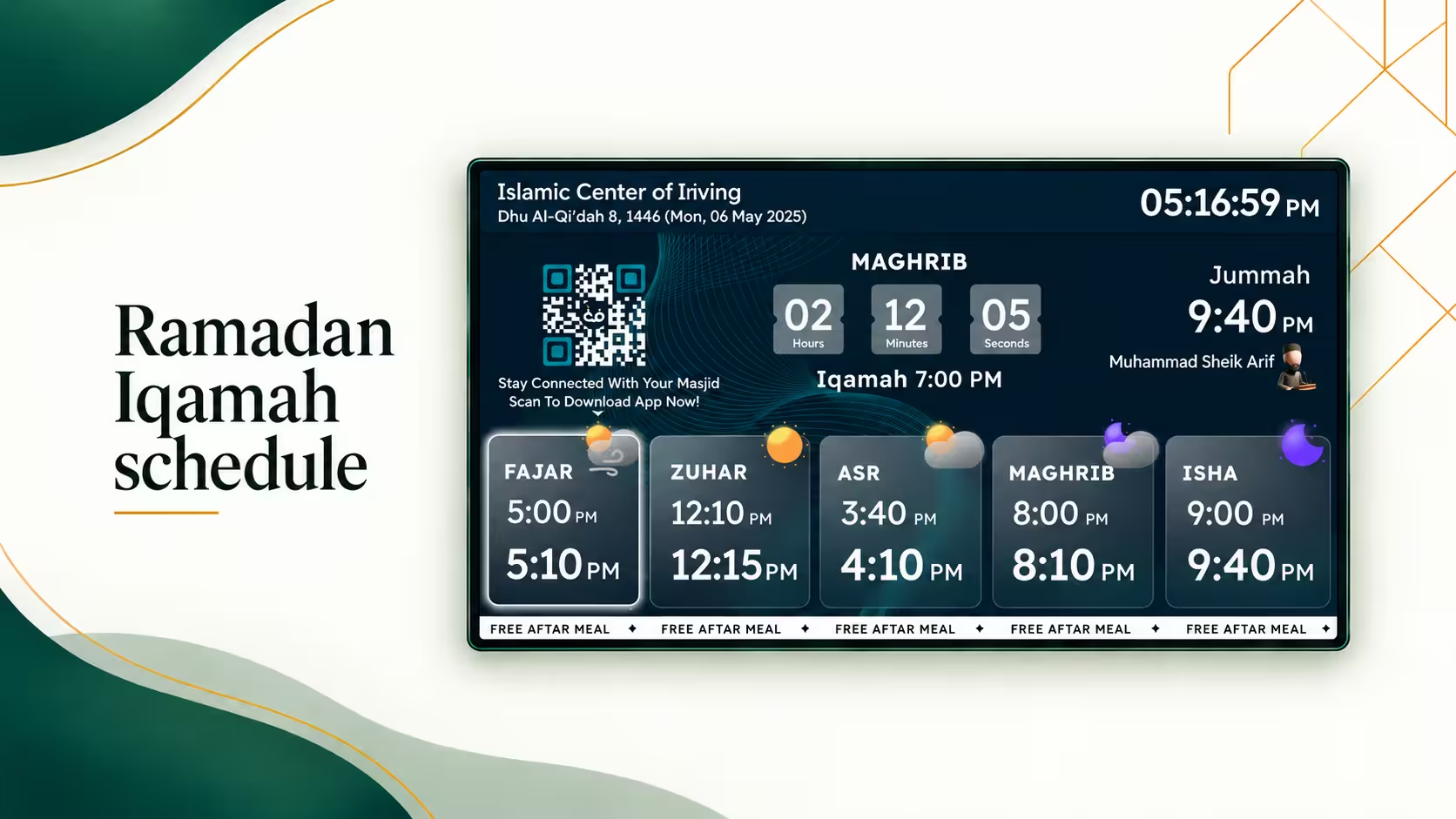
Ramadan brings a different rhythm to masjid life.
Congregations may grow, evening programs become busier, and masjid committees sometimes revise Iqamah schedules to accommodate their community.
Consider a masjid that ordinarily schedules Isha Iqamah for 8:15 PM but changes it to 8:30 PM during part of Ramadan.
The problem is not simply deciding on the new time. It is making sure everyone sees the same approved schedule.
What Can Go Wrong?
A paper timetable might be updated near the main entrance while another notice remains unchanged.
A volunteer may inform regular worshippers about the revised time, but someone visiting for the first time could miss the announcement.
And if a digital screen is maintained separately from other masjid communication channels, it might show outdated information.
A More Practical Approach
Masjid administrators can create a simple Ramadan scheduling process:
- Confirm Iqamah adjustments with the imam and masjid committee.
- Enter the approved schedule in one designated management system.
- Update connected prayer displays before the new timetable begins.
- Check the information on the screens that worshippers use most.
- Keep a printed backup available for unexpected technical interruptions.
With ConnectMazjid's Masjid TV solution, authorized administrators can manage prayer schedules through the CMZ Admin Portal.
Rather than relying on separate handwritten notices, the masjid can use connected screens to communicate the latest timetable.
That small division of responsibility can prevent a great deal of confusion.
Challenge 2: Keeping Iqamah Displays Consistent Across Multiple Prayer Areas
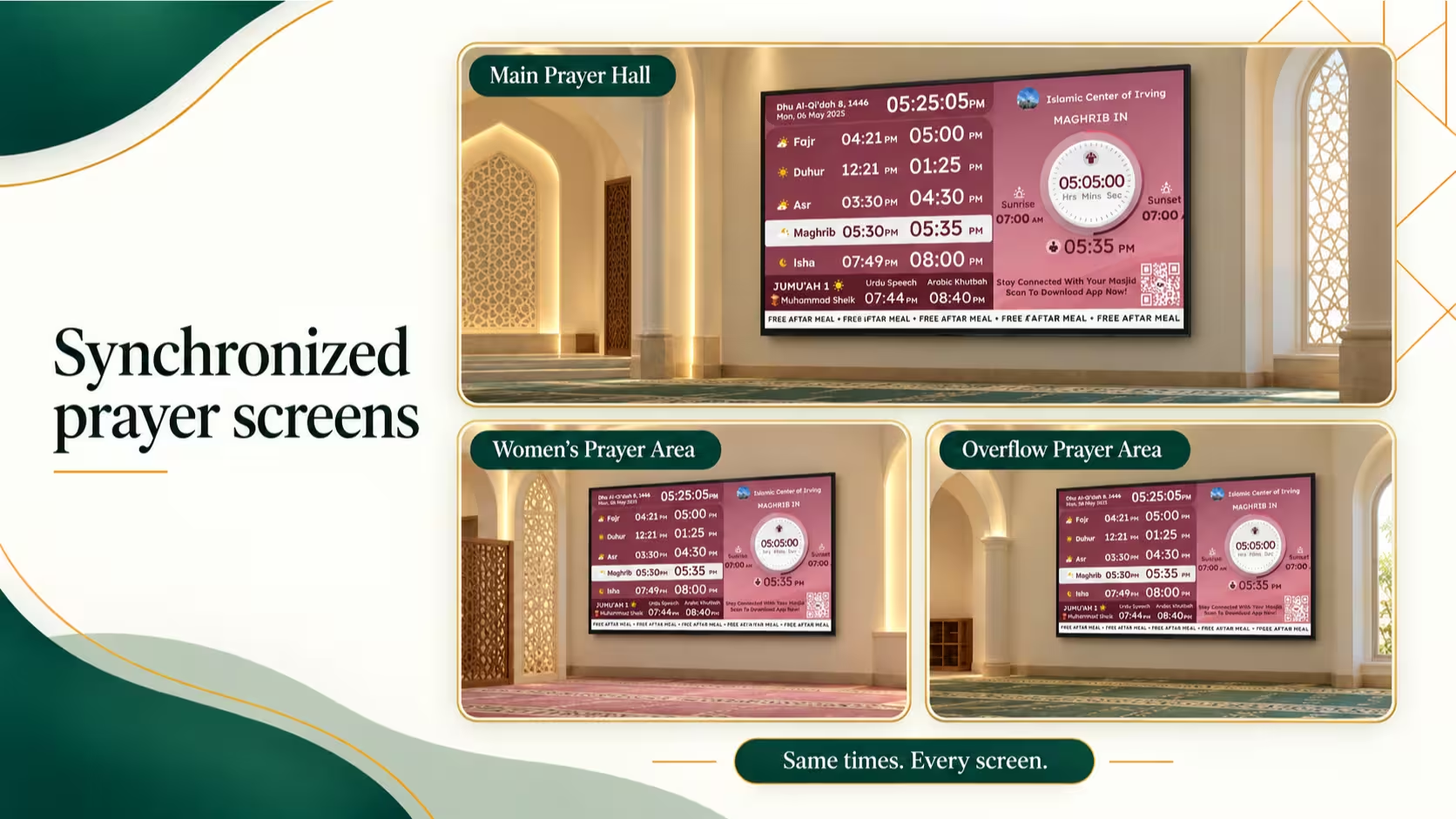
Some masjids have just one digital screen. Others have displays near the entrance, main prayer hall, sisters' section, and community areas.
The challenge becomes more noticeable when the masjid changes a prayer time.
Imagine a visitor entering through the main entrance and seeing Asr Iqamah at 5:00 PM.
After moving to another prayer area, they see a different time.
Which one should they trust?
An Iqamah display system is most useful when the same approved timetable reaches every relevant screen.
How to Improve Consistency
Start by giving each screen a recognizable name, such as:
- Main Entrance
- Main Prayer Hall
- Sisters' Prayer Area
- Community Lobby
Then make sure administrators can identify which displays are connected and whether schedule updates have reached them.
ConnectMazjid allows compatible displays to be paired with its Admin Portal and managed centrally.
This means the committee can maintain the approved prayer schedule without independently recreating the same information on every screen.
For masjids also sharing Salah timings through digital community channels, consistency matters beyond the building itself.
Learn how ConnectMazjid helps keep masjid management tools and connected channels in sync.
Challenge 3: Helping Worshippers Understand the Next Iqamah
Not everyone entering a masjid has time to study a detailed prayer timetable.
Some worshippers arrive during a lunch break. Others visit an unfamiliar masjid while traveling. Parents may be coordinating their arrival with children.
They often have one immediate question:
"How much time is left before the congregation begins?"
This is where an Iqamah countdown timer can be particularly useful.
A Countdown Makes Information Easier to Understand
Suppose Asr Iqamah is scheduled for 5:00 PM and the current time is 4:50 PM.
Rather than requiring someone to calculate the difference, a digital display can highlight:
A clear countdown helps people understand the schedule at a glance.
But the display must also distinguish between the Athan time and the congregational Iqamah time.
If the countdown follows the wrong schedule, it may create more confusion than it solves.
What Makes a Countdown Useful?
A well-designed countdown should:
- Follow the masjid's approved Iqamah schedule.
- Use the correct local time.
- Highlight the upcoming congregational prayer.
- Remain readable from normal viewing distances.
- Avoid distracting worshippers once Salah begins.
ConnectMazjid offers a full-screen Iqamah countdown through its optional premium display features, while standard prayer timetable displays are available through its free Core plan.
You can review the available display capabilities on the ConnectMazjid Masjid TV page.
That gives administrators an opportunity to spot timing or display issues before worshippers rely on it.
Challenge 4: Handling Unexpected Iqamah Schedule Changes
Not every change follows a predictable seasonal schedule.
A masjid might need a temporary adjustment because of a special community gathering, local arrangements, or an unexpected operational issue.
For example, imagine that the committee approves a temporary change to Dhuhr Iqamah for one day.
The old noticeboard still shows the normal schedule, and some worshippers may not hear the announcement.
How can administrators communicate the adjustment clearly?
Establish a Simple Change Process
A practical workflow is:
- Confirm: Receive the final approved Iqamah timing from the responsible masjid authority.
- Update: Enter the revised timing in the masjid's central timetable.
- Verify: Check that connected screens show the correct information.
- Communicate: Use announcements or other community channels when appropriate.
- Restore: Return to the regular schedule when the temporary adjustment ends.
This process is particularly important when several people share administrative responsibilities.
The aim is not to make a small change complicated. It is to prevent a temporary adjustment from becoming an ongoing source of misinformation.
For connected TV configuration and pairing instructions, refer to the existing Mosque TV Display Setup Guide.
If a screen does not reflect a recent adjustment, see the Mosque TV Display Troubleshooting Guide.
How ConnectMazjid Supports Daily Iqamah Management
An effective digital display should make life easier for both worshippers and the masjid volunteers responsible for keeping information up to date.
ConnectMazjid provides a Masjid TV solution that works with compatible Smart TVs and streaming devices.
Through the CMZ Admin Portal, masjid administrators can maintain Athan and Iqamah timings, pair connected screens, and manage display settings.
Make Use of Existing Screens
A masjid that already has a compatible television may not need to purchase a dedicated electronic prayer clock.
ConnectMazjid supports compatible Android TV, Google TV, Amazon Fire TV, and browser-based TV displays.
Keep the Schedule Centralized
Administrators can enter prayer times through the Admin Portal or import an approved annual timetable from a spreadsheet.
This makes recurring timetable management more practical for committees already maintaining schedules digitally.
Choose the Display Features Your Masjid Needs
Standard prayer time and Iqamah displays are included in ConnectMazjid's free Core offering.
Optional premium capabilities include full-screen countdowns and automatic screen blackout during Salah.
The right configuration depends on how your masjid operates.
A small prayer area may need only a simple timetable, while a larger Islamic center might benefit from multiple connected screens and more advanced display options.
Ready to give your congregation a clearer prayer schedule?
Create Your Free ConnectMazjid Account →Quick Checklist for Reliable Iqamah Displays
Before using an Iqamah display as a primary source of congregational prayer information, confirm the following:
- The imam or committee has approved the displayed Iqamah timetable.
- Athan and Iqamah times are clearly distinguished.
- All connected screens show the same relevant schedule.
- The device clock and time zone are correct.
- Upcoming temporary and seasonal changes have been accounted for.
- The next-Iqamah countdown works correctly if enabled.
- A designated administrator is responsible for updates.
- A printed backup timetable is available if needed.
A few routine checks can help keep prayer information clear and dependable.
Frequently Asked Questions
What is an Iqamah display?
An Iqamah display is a digital prayer information screen that shows scheduled congregational prayer times at a masjid. Depending on the software, it may also show Athan times, the next prayer, and a countdown.
Can a masjid change Iqamah times remotely?
Yes. Connected display solutions such as ConnectMazjid allow authorized administrators to update approved prayer schedules through a central management portal.
Can an Iqamah display show both Athan and Iqamah times?
Yes. Compatible masjid display software can present both timings separately, helping worshippers understand when the prayer period begins and when the congregation is scheduled to pray.
Does every masjid need an Iqamah countdown?
Not necessarily. A clear timetable may be sufficient for a small masjid with stable prayer schedules. A countdown can be more useful when worshippers need to see the remaining time before congregational Salah at a glance.
Can ConnectMazjid display Iqamah times on more than one TV?
Yes. ConnectMazjid supports multiple compatible screens connected to one masjid account, allowing prayer schedule management through its Admin Portal.
Is an Iqamah display free with ConnectMazjid?
ConnectMazjid includes standard prayer timing displays in its free Core offering. Certain additional capabilities, such as full-screen countdowns and automatic blackout, belong to optional premium offerings. Check the Masjid TV product page for current details.
Make Every Iqamah Time Easier to Follow
Managing an Iqamah schedule should not require volunteers to repeatedly correct notices, answer conflicting questions, or manually update disconnected screens.
Whether your masjid faces Ramadan timetable changes, multiple display locations, countdown questions, or unexpected scheduling adjustments, the goal is the same: give worshippers clear, consistent, and trustworthy congregational prayer times.
With ConnectMazjid, masjid administrators can bring approved prayer schedules and compatible displays together through one platform.
Give your congregation the clarity it deserves while making daily administration more manageable.