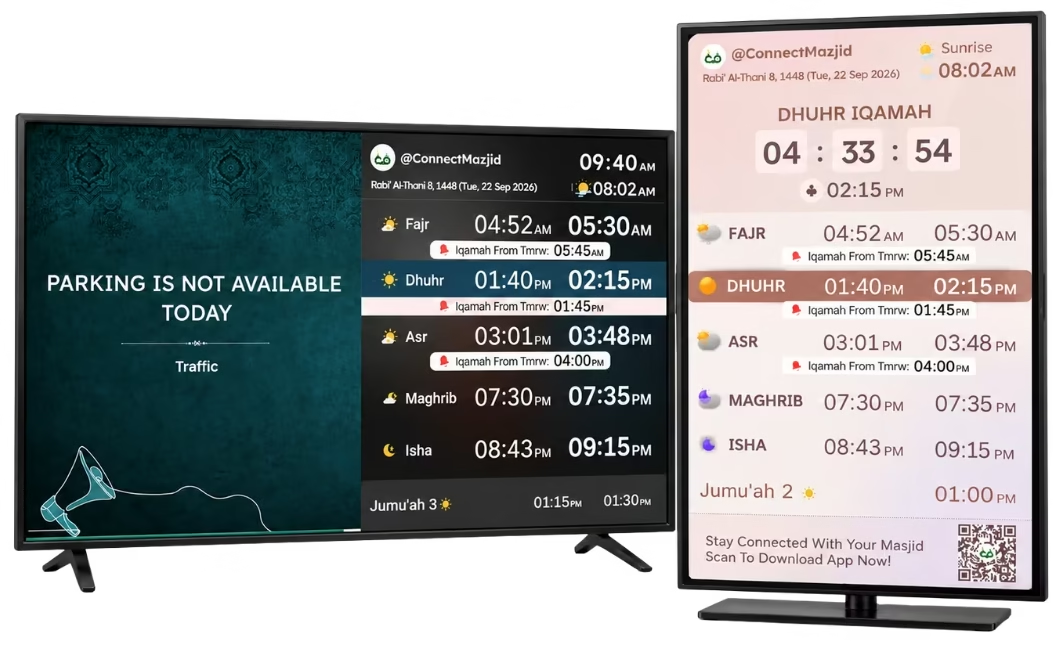
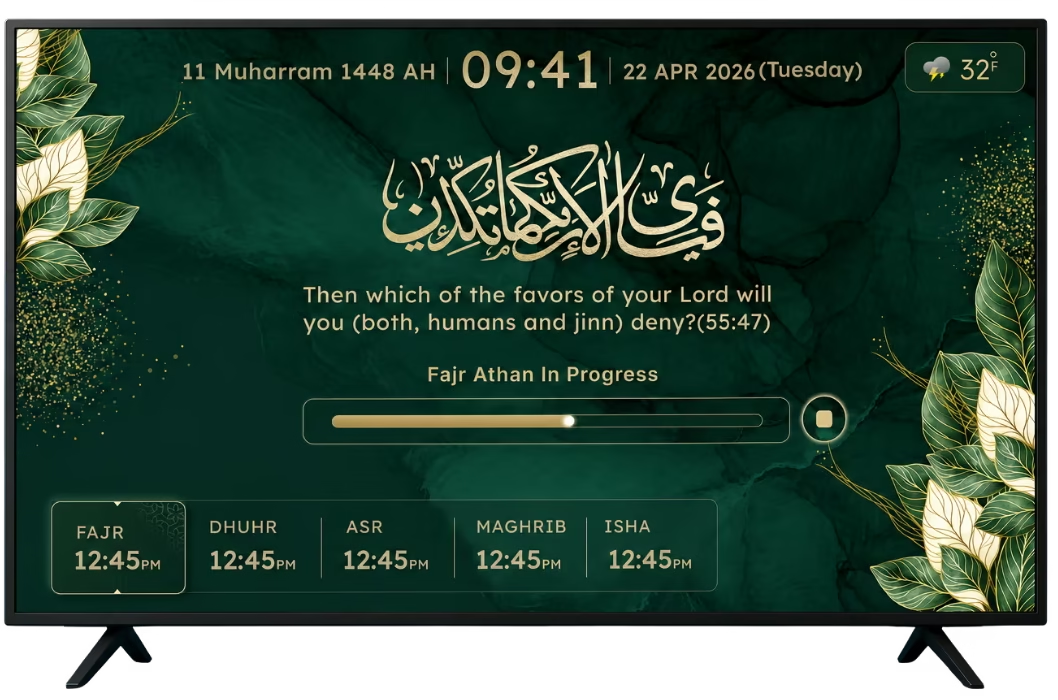
The ConnectMazjid Masjid TV app turns any screen into a live prayer display, with Salah countdowns, Iqamah alerts, Salah blackout, Khateeb names and 9 languages. Pick your platform below and install in minutes, no special hardware needed.
Skip the sales pitch. Find your masjid's exact TV setup.
We built this AI advisor to think on your behalf — not ours. Pick what you want to show on your TVs or describe it in your own words, and we’ll map the lowest-cost configuration without wasted spending.
verified100% Free Core Display Included
savingsAutomatic Money-Saver Bundles
boltTakes < 1 Minute
Question 1 of 5 · Prayer Timers & Visual Display
What prayer time displays and visual countdowns do you want on your screens?
Standard prayer timetables across all screens are always 100% Free in Core.
timer
Full-Display Iqamah Countdown Timers
High-visibility live countdown clock before Iqamah begins across all prayer halls.
check
badge
Highlight Jumu'ah Khatib & Guest Speaker Names
Prominently display the upcoming Khatib, guest scholar, or Imam name on the Friday screen layout.
check
edit_calendar
Full-Screen Prayer Timing Change Alerts
Full-screen popup notices when daily or seasonal prayer timetables shift to new times.
check
fit_screen
Iqamah-Only Focused Display Mode
A clean, distraction-free screen mode showing solely the next upcoming Iqamah timing.
check
Question 2 of 5 · Audio & Salah Etiquette
Do you want automated audio cues or specific screen behavior during prayer?
All features work seamlessly across all connected TV displays.
volume_up
Automated Audio Chimes & Adhan Cues on TV
Plays automated sound beeps, chime cues, or Adhan notifications when prayer time arrives.
check
block
Prohibited (Makrooh) Salah Timing Alerts
Automatic on-screen warnings during sunrise, zawal, and sunset when nafl prayer is prohibited.
check
dark_mode
Auto Screen Blackout During Congregational Salah
Automatically blacks out the TV screens during prayer to eliminate all visual distractions.
check
Question 3 of 5 · Media & Video Streaming
What visual media, broadcasts, or announcements do you want to show?
Standard text announcements are always included free in Core.
live_tv
Live Khutbah & Video Streaming on TV
Stream Friday lectures or video feeds directly to overflow halls, sister areas, and lobby screens.
check
collections
Digital Noticeboard & Local Business Sponsor Ads
Digital notice board rotating upcoming programs, guest lectures, and local sponsor advertisements.
check
campaign
Full-Screen Urgent Alerts & Announcements
High-priority full-screen takeover slides for urgent notices, Janazah announcements, or events.
check
palette
Custom Theme Layouts & Color Presets
Tailored TV color themes, custom masjid branding palettes, and specialized layout templates.
check
Question 4 of 5 · Donations & Post-Prayer Content
How do you want to engage donors and display community content on the TVs?
Standard online web donations are included free in Core.
show_chart
Live Real-Time Donation Ticker (Thermometer)
Display real-time goal thermometers, progress bars, and recent donor tallies during Friday prayers or Ramadan drives.
check
qr_code_scanner
Display Custom On-Screen QR Codes
On-screen smart QR codes that worshippers can scan directly from their phone cameras to donate instantly.
check
photo_library
Event & Fundraiser Promotional Flyers
Showcase high-resolution graphic posters for upcoming fundraising dinners and community youth events.
check
menu_book
Post-Salah Supplication (Du'a / Adhkar) Display
Display authentic post-prayer supplications (Adhkars) and Du'as after congregation prayer finishes.
check
link
Universal Multi-Campaign Donation Links
Support for custom external giving URLs, Zakat funds, building drives, and pledge forms.
check
Question 5 of 5 · Governance & Committee Setup
How will your committee manage team access and payment processing?
Single admin access is 100% Free in Core forever.
groups
Multiple Committee Admins with Role Permissions
Separate logins for Imam, Treasurer, Board, and Media Volunteers with granular access controls.
Upgrade to Community All-in-One for just $2.02/mo extra
Instead of paying $27.97/mo for 3 separate packages, get Community All-in-One at $29.99/mo to unlock every feature on ConnectMazjid — including the 4th Spotlight package (video streaming & digital ads), White-Label branding removal, and priority support!
This is completely on us for the great work your committee does for the community. Full multi-admin management is unlocked at zero cost with advance notice before any future changes.