
Masjid TV display technology has evolved, but is your masjid still using its TV only to show Salah and Iqamah timings?
What if that same screen could automatically highlight Iqamah countdowns, pause announcements during Salah, display Duas after prayer, and share community updates?
Most masjids already have a TV. The question is whether they're using its full potential.
With CMZ masjid display software, you can turn your existing Smart TV into a digital prayer time display without buying expensive hardware.
CMZ works with Android TV, Google TV, Amazon Fire TV, and compatible Samsung or LG Smart TVs through supported apps or browsers.
Here are eight ways your screen can support your masjid throughout the day.
IN THIS ARTICLE
1 Before Salah: Keep Prayer Timings Clear and Accessible
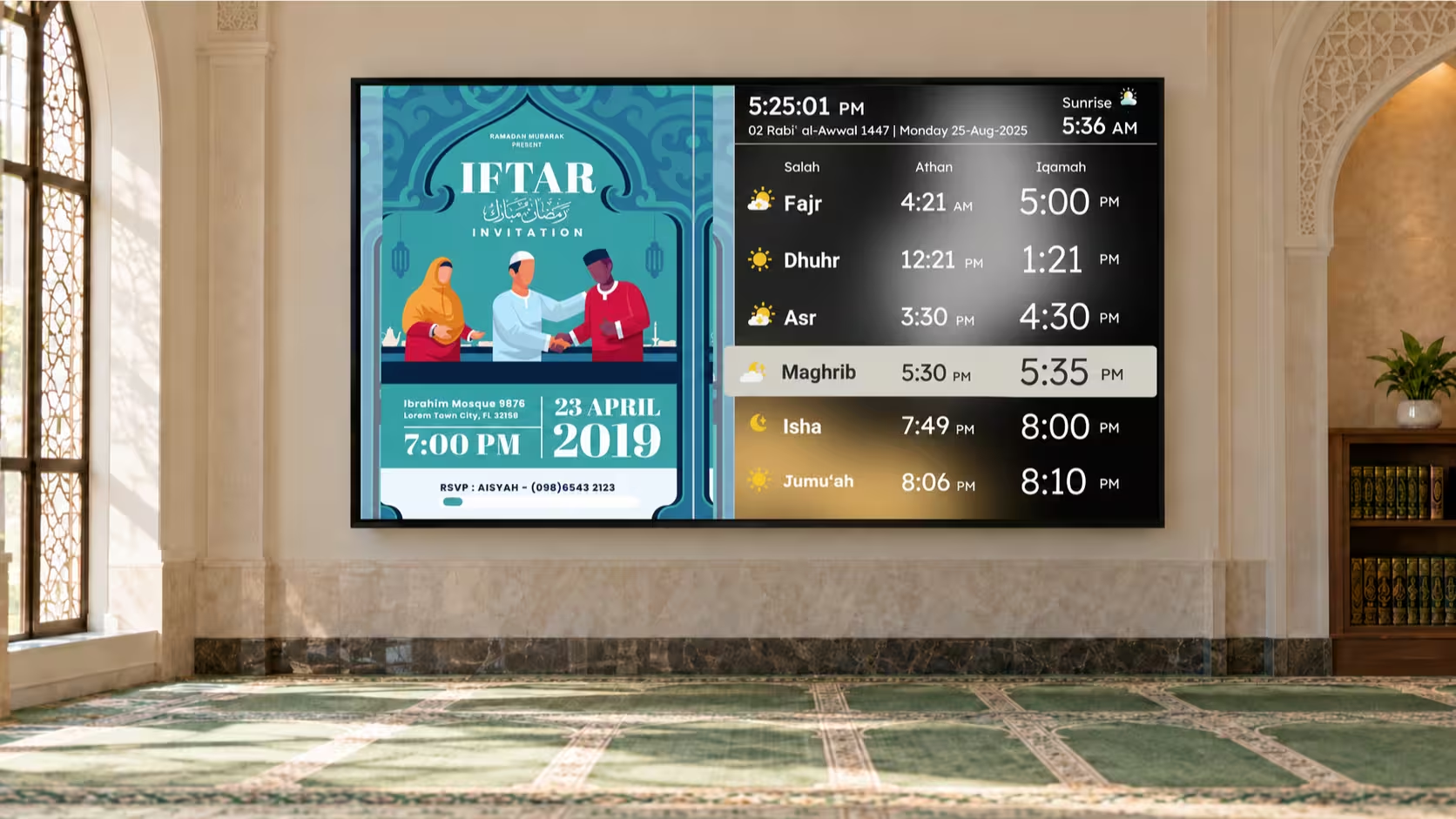
Whether someone arrives for Fajr or Asr, your masjid TV display should make prayer information easy to read.
It can show:
- Daily Athan and Iqamah timings
- Current time and Islamic date
- Sunrise timing
- Next Salah countdown
- Jumu'ah schedule
CMZ offers customizable themes and portrait or landscape layouts to suit different prayer halls.
Your prayer timetable stays the main focus, while additional information can appear alongside it.
2 As Iqamah Approaches: Make Every Minute Count
How many times have people asked, "How much time is left until Iqamah?"
A visible countdown helps answer that instantly.
CMZ provides Iqamah countdowns, including a premium full-screen option for better visibility.
You can also display reminders when Iqamah timings change.
For example, if Fajr Iqamah moves from 5:30 AM to 5:15 AM, your masjid TV display can inform worshippers about the upcoming change.
No separate posters or repeated announcements needed.
3 During Salah: Create a Distraction-Free Environment
Imagine people praying while colorful announcements and rotating flyers continue playing on the screen.
Even useful content can become distracting during Salah.
CMZ offers two advanced features to address this:
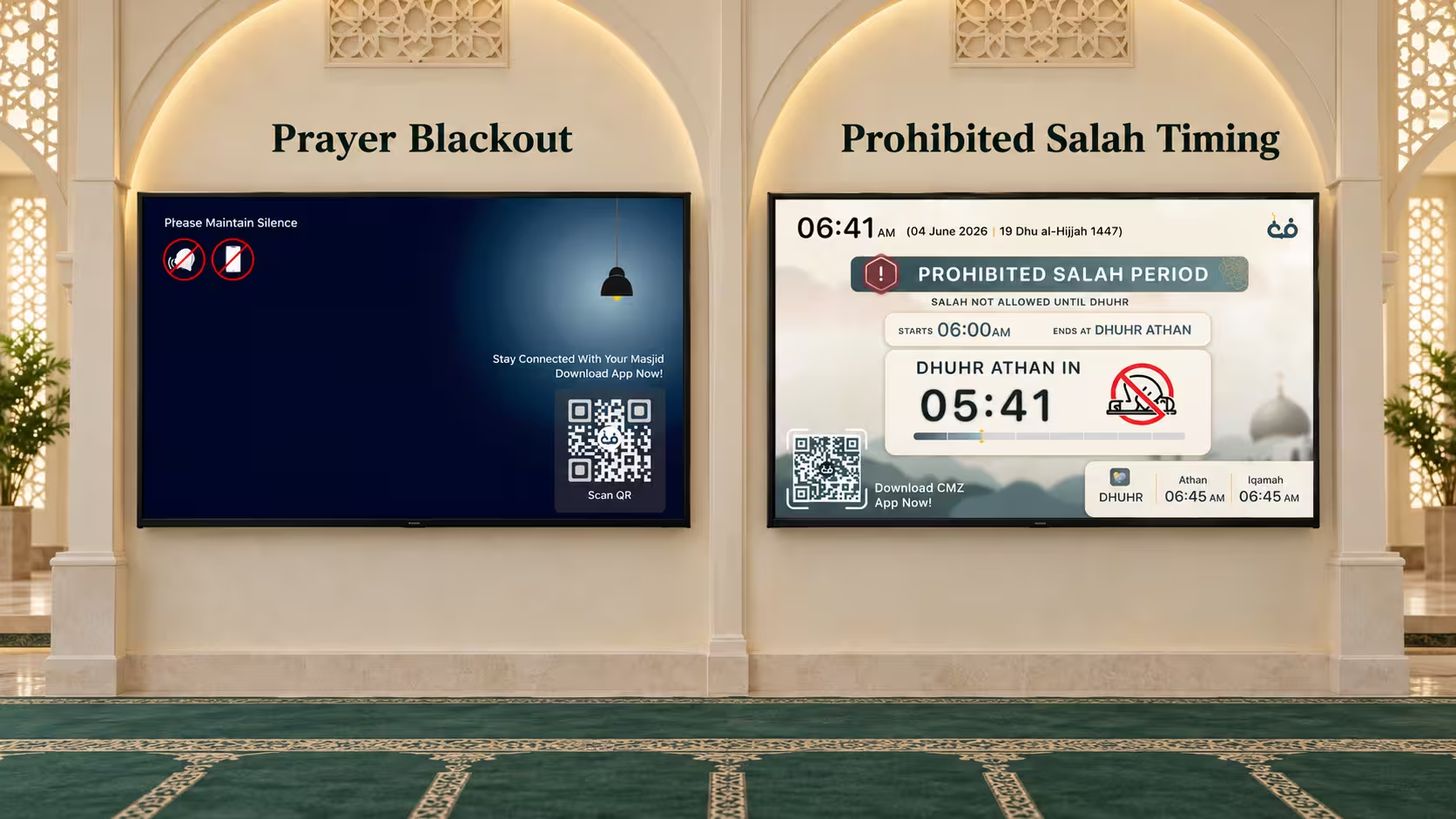
Auto Blackout
Automatically switches to a distraction-free display during the configured Salah duration.
Stop Slide Show
Pauses rotating content and keeps a static display based on your selected theme.
These premium features help maintain a peaceful prayer environment without requiring volunteers to switch screens manually.
Your TV follows the configured Salah schedule automatically.
4 After Salah: Display Duas and Adhkar
Salah may be finished, but remembrance of Allah continues.
CMZ allows your masjid TV display to show selected Duas and Adhkar after Salah.
You can schedule supplications to appear once the configured Salah duration ends.
This is especially helpful for children, new Muslims, and anyone learning daily Adhkar.
Instead of immediately showing announcements, your screen can encourage a few moments of remembrance before returning to regular content.
5 Between Prayers: Keep Your Community Informed
Your masjid is also a place for learning, community events, and charitable activities.
Why not use your TV to keep everyone updated?
CMZ allows you to display:
- Islamic classes and upcoming events
- Community announcements and flyers
- Fundraising campaigns and donation QR codes
- Janazah notices
- Ramadan and Eid programs
- Quranic verses and Hadith
Depending on your theme, content can rotate in a dedicated media area while prayer timings remain visible.
6 Around Sunrise, Zawal, and Sunset: Show Important Salah Reminders
Certain periods around sunrise, zawal, and sunset have restrictions on performing Salah.
CMZ provides automated Prohibited Salah Timing alerts to help masjids communicate these periods.
Your masjid TV display can show reminders for:
- Sunrise: The restricted period after sunrise.
- Zawal: The period just before Dhuhr begins.
- Sunset: The restricted period before Maghrib.
Administrators can customize these timings according to their masjid's requirements.
Instead of relying on daily verbal reminders, relevant information appears automatically on screen.
7 On Friday: Make Jumu'ah Information Easy to Find
Friday is a special day in Islam, bringing Muslims together for Jumu'ah Salah and the Khutbah.
For masjids offering multiple Jumu'ah sessions, clear communication matters.
CMZ supports:
- Multiple Jumu'ah timings
- Khateeb names
- Friday-specific announcements
- Important information for worshippers
Whether your masjid offers two, three, or four sessions, your masjid TV display can present the schedule clearly.
This helps visitors and regular attendees find the correct Jumu'ah information.
8 One Admin Portal: Manage Every Screen Without Extra Work
Imagine having three TVs: one at the entrance, another in the main prayer hall, and one in the sisters' section.
Should volunteers update each screen separately whenever Iqamah timings change?
With CMZ, they don't have to.
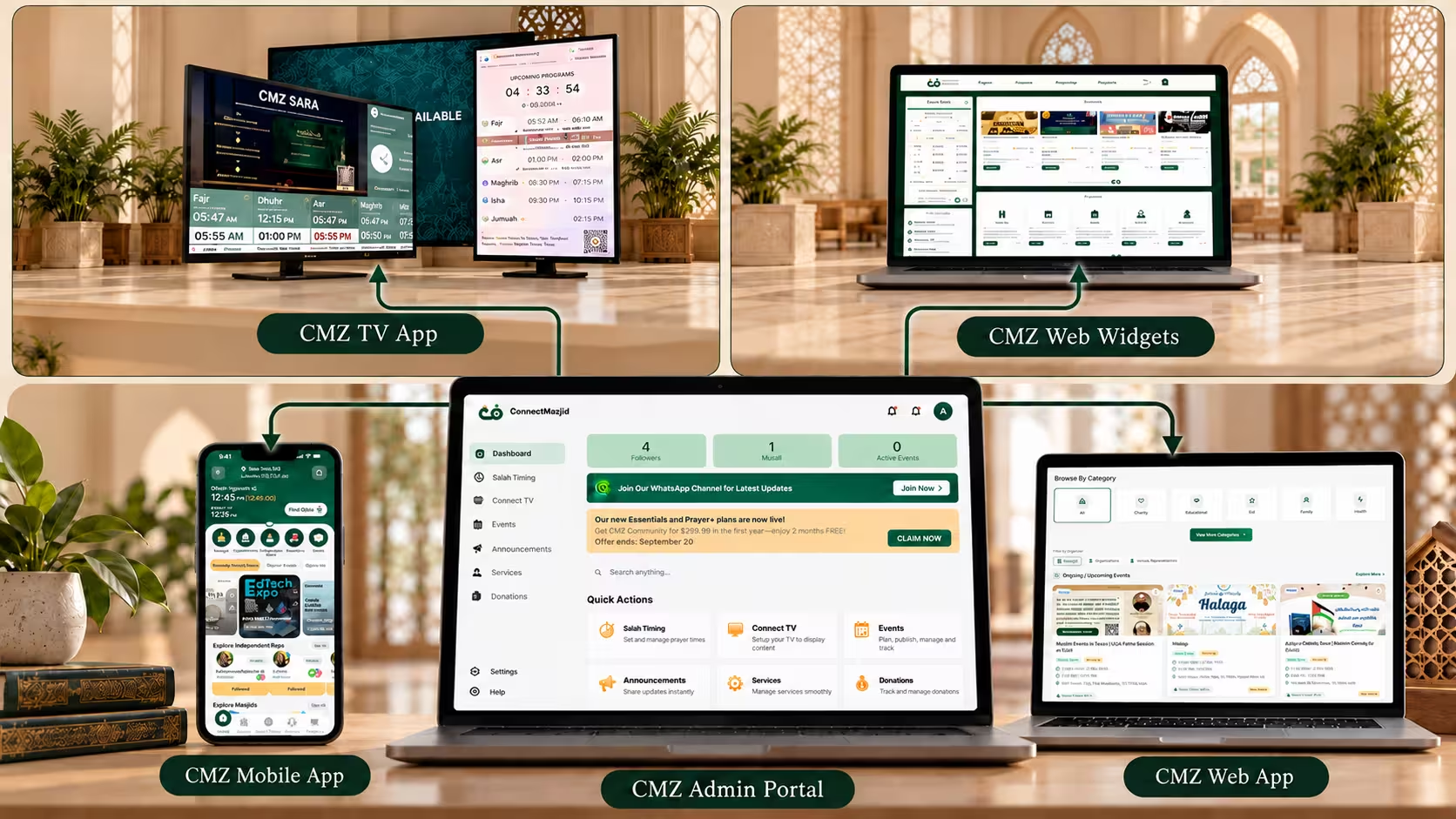
The CMZ Admin Portal lets you manage prayer timings, announcements, and multiple connected TVs centrally.
You can customize individual screens while keeping shared prayer information synchronized.
CMZ also supports website and mobile app integration.
And with offline support, previously available prayer information can remain visible during temporary internet interruptions.
Frequently Asked Questions
Can I use my existing Smart TV for masjid prayer timings?
Yes. CMZ supports Android TV, Google TV, Fire TV, and compatible Smart TV browsers. Follow our mosque display software setup guide to get started.
Can the display automatically stop announcements during Salah?
Yes. Premium Auto Blackout and Stop Slide Show features can automatically hide or pause rotating content during the configured Salah duration.
Can CMZ display Duas after Salah?
Yes. You can configure selected Duas and Adhkar to appear after Salah.
Can I manage multiple TVs from one place?
Yes. The CMZ Admin Portal allows centralized management of connected TV screens.
Is CMZ Masjid TV free?
CMZ Core includes essential Salah and Iqamah displays. Advanced features are available through optional paid plans. Explore the CMZ pricing guide for details.
Make Your Masjid TV Work Smarter, From Fajr to Isha
Your masjid doesn't need a complicated display system. It needs one that supports daily Salah and community activities.
A smart masjid TV display keeps prayer timings visible, shares important reminders, displays supplications, and reduces manual work.
With CMZ, you can make better use of your existing TV and manage everything from one Admin Portal.
Ready to make your masjid's TV more useful?
Explore CMZ Masjid TV and start with a free Salah display. Add advanced features whenever your masjid needs them.
Explore CMZ Masjid TV