Make us preferred on Google
ConnectMazjid • Masjid TV Display

CMZ TV App: The Free Masjid Display Software with No Additional Hardware Required

Show prayer and Iqamah times, announcements and events on every screen in your masjid, updated live from one dashboard. Free to start on the Core plan.
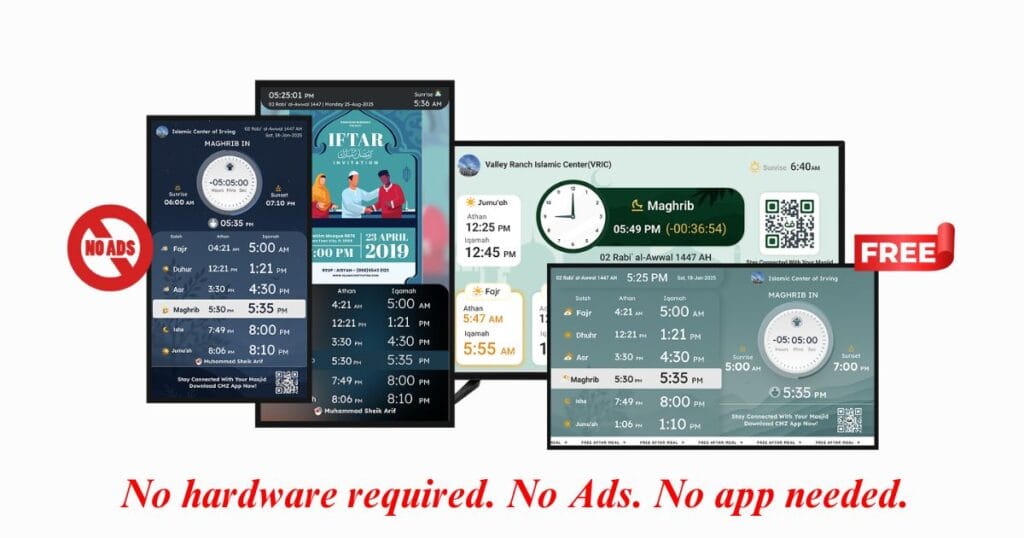
✓No extra hardware
✓Prayer & Iqamah in real time
✓Android TV, Fire TV, LG, Samsung
CMZ TV App masjid display software showing prayer and Iqamah times on a mosque TV screen

In recent years, masjid display software has transformed how mosques communicate with their congregations. The ConnectMazjid a.k.a. CMZ TV App replaces traditional bulletin boards with a masjid display software that requires no additional hardware and is free to start. You can transform your masjid screens by simply installing the app on your smart TV. With the rise of digital masjid screens, masjids can now share real-time updates, engage their communities, and streamline operations like never before with this masjid display software.

Set up your masjid display in 3 easy steps

1
InstallOpen the CMZ TV App on your TV, or visit cmzapp.com/tv in the TV’s browser.
2
Enter the codeType the unique code shown on the TV screen into your Admin Portal.
3
Name your screenCall it Main Hall, Lobby or Sisters’ Hall, then click Pair TV. Your prayer times appear instantly.

Need a walkthrough? Read our step-by-step mosque TV display setup guide.

Why Choose CMZ (ConnectMazjid) TV App? A Free Masjid Display Software

With the CMZ (ConnectMazjid) Admin Portal, easily sync updates to your masjid screens, website, and app, keeping your community informed. Here’s why the CMZ TV App is ideal for your masjid screens:

  • No extra hardware required – just install on your Smart TV or open cmzapp.com/tv in your TV’s browser.
  • Free to start – the Core plan covers prayer and Iqamah times, unlimited screens and announcements at no cost, with optional upgrades for advanced display features.
  • Real-time updates – prayer times, Iqamah timings, announcements, and events.
  • Seamless sync – update screens, website, and mobile app with one click.
  • User-friendly – simple, intuitive interface for effortless management.
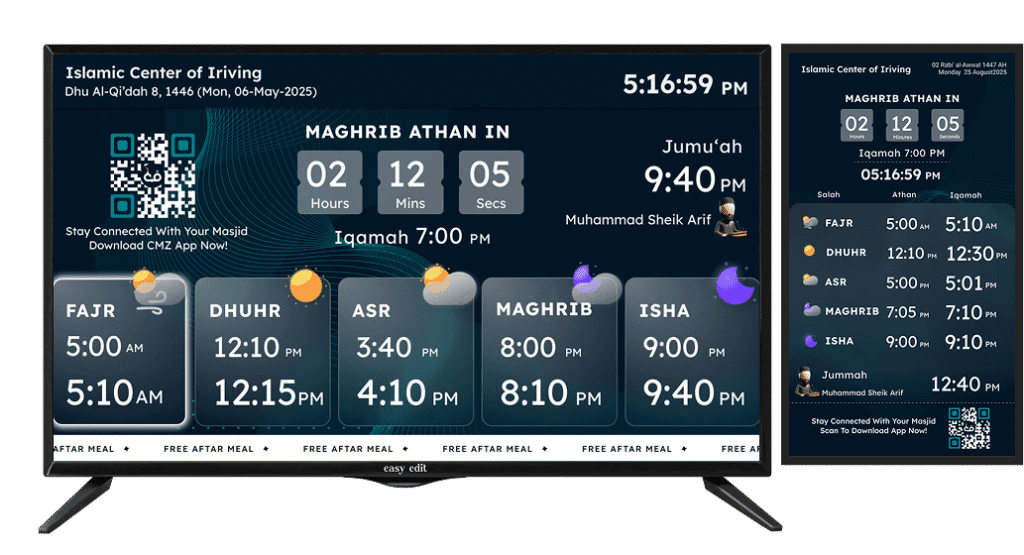
Masjid display with Iqamah countdown showing real-time Salah timings and announcements by ConnectMazjid
Login/signup now & start displaying!Create your free Admin Portal account, pair your first TV and show your prayer times today.

Mosque digital signage: what you can show on your masjid TV screen

Everything on your mosque screens comes from the CMZ Admin Portal, so one update changes every screen at once. Features marked Free are included in the Core plan; Upgrade features are available on a paid plan.

Prayer & Iqamah timesFreeAthan and Iqamah for all five prayers, updated from your Admin Portal in real time.
Hijri dateFreeToday’s Islamic date shown alongside the prayer timetable.
AnnouncementsFreeText and image announcements, published instantly or scheduled, with an expiry date.
Events & programsFreeUpcoming classes, programs and events, straight from your event calendar.
Multiple screensFreeOne masjid, many TVs: name each screen (Main Hall, Lobby) and give each its own theme.
Landscape & portraitFreeWorks on wide hall screens and tall portrait displays.
9 display languagesFreeEnglish, Arabic, French, German, Spanish, Italian, Indonesian, Norwegian and Turkish.
Live screen statusSee which screens are online or offline, and when each was last active.
Prayer countdownUpgradeA live countdown on screen before each Salah.
Athan & Iqamah beepUpgradeA subtle audio beep at Athan and Iqamah time.
Prayer blackoutUpgradeThe screen goes dark automatically when Salah begins.
Jumu’ah Khateeb nameUpgradeShow the Friday speaker’s name during Jumu’ah.
Flyers & notice boardUpgradeRotate digital flyers and notices on your screens.
Extra themes, branding-freeUpgradeMore screen themes and a branding-free display.

Display languages:

EnglishالعربيةFrançaisDeutschEspañolItalianoBahasa IndonesiaNorskTürkçe

About CMZ (ConnectMazjid) TV App: Smart Masjid Display Software

The CMZ (ConnectMazjid) TV App is a masjid display solution that requires no additional hardware and is designed to display real-time updates on salah timings, announcements, and events directly on your mosque screens, free to start on the Core plan. This smart masjid display software ensures your congregation stays informed and engaged, keeping everyone connected with the masjid’s activities and schedules.

Why Every Mosque Needs Smart Masjid Display Software

  • Real-Time Communication: Keep your congregation updated with accurate prayer times, event schedules, and important announcements displayed directly on mosque screens.
  • Seamless Notifications: Instantly share masjid announcements and important messages in real time, eliminating the need for manual updates.
  • Enhanced Community Engagement: Strengthen community connections by ensuring easy access to crucial information through a modern masjid display solution.
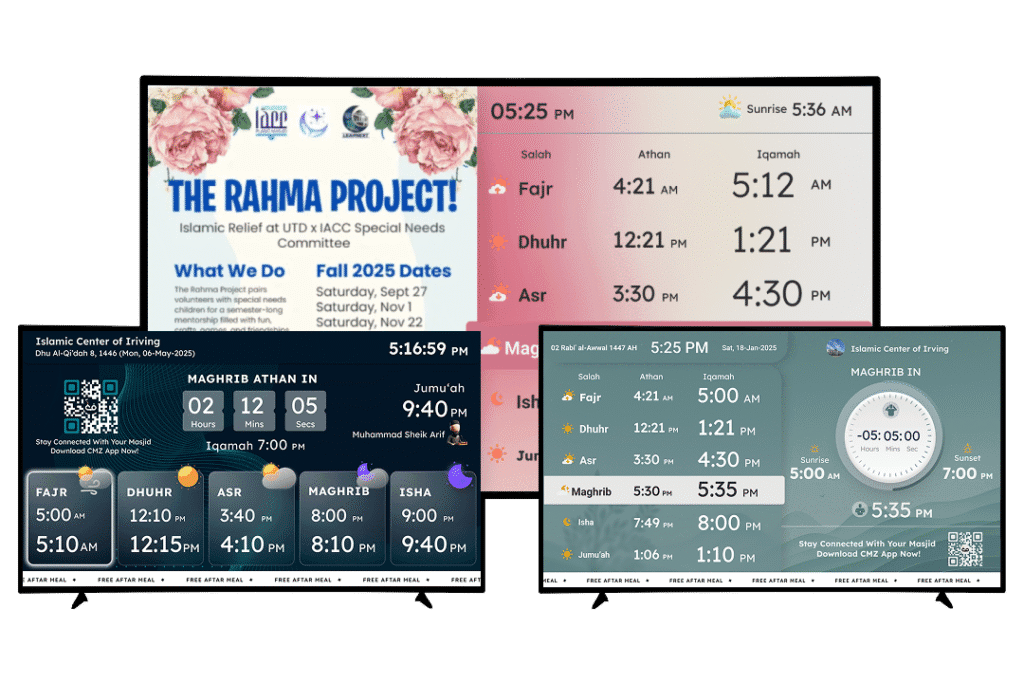
masjid display system, mosque screens, masjid tv display

What you need: any TV, no special hardware

You don’t need to buy a special display box. If your masjid already has a TV, you can usually start today.

Your screenHow to run the CMZ TV App
Android TV / Google TVInstall the app from Google Play.
Amazon Fire TV StickInstall it from the Amazon Appstore.
LG Smart TVInstall it from the LG Content Store.
Samsung Smart TV, or any TV with a browserOpen cmzapp.com/tv in the TV’s web browser.
An older TV without appsPlug in a Fire TV Stick or an Android TV box, then install the app.

You also need an internet connection on the TV, so it can receive live updates from your Admin Portal.

Get the CMZ TV App

Available on: Android TV, Amazon Fire TV Stick, Google TV, Samsung Smart TV, LG Smart TV, and accessible via your TV browser using a URL.

What’s free, and what’s an upgrade?

Every masjid starts on the free Core plan. Add an upgrade only when you want the advanced display features.

Free Core planOptional upgrades
Athan & Iqamah times, Hijri dateLive prayer countdown
Unlimited screens, landscape & portraitAthan & Iqamah audio beep
Announcements and eventsAutomatic prayer blackout
9 display languages, theme coloursJumu’ah Khateeb name on screen
Excel/CSV upload for a full year of prayer timesFlyers, notice board, extra themes, branding-free display
Start free, upgrade when you need moreSee every plan and what it includes on our pricing page.

Why Join Us as a Masjid Admin?

  • Centralized display – Show all masjid info, from prayer times to events, on one platform.
  • Real-time updates – Instantly share prayer times, events, and community notices on mosque screens.
  • Seamless integration – Updates from the Admin Portal sync instantly to screens, app, and website.
  • Effortless management – Organize operations and keep the community informed with ease.
  • Stronger connections – Enhance engagement and streamline communication.

Start Using ConnectMazjid Today!

Looking for IT solutions for your masjid? ConnectMazjid provides a complete digital toolkit to modernize and streamline operations. The CMZ TV App is an essential masjid display software for displaying real-time data onto masjid displays, offering a seamless way to keep your congregation informed and engaged through real-time updates, ease of use, and a no-hardware setup that is free to start. It’s the ideal solution for enhancing communication within your mosque. By integrating effortlessly with the Admin Portal and other platforms, it ensures that all information, from prayer times to announcements, is always up-to-date and accessible.

Embrace the future of mosque management with the best mosque software and strengthen your masjid’s connection with its congregation today.
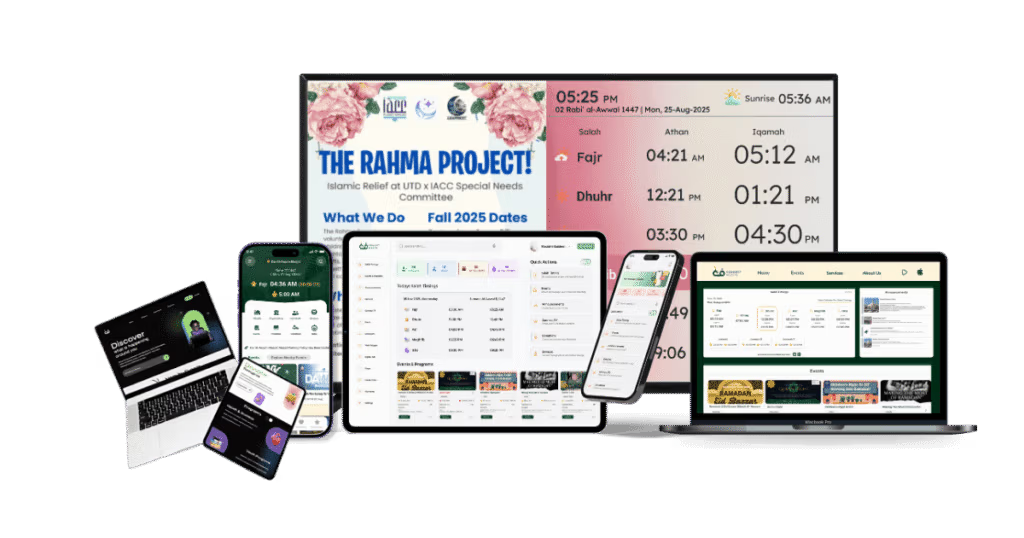
All Product of CMZ(ConnectMazjid)

Learn how to use the ConnectMazjid TV App, compare it with our home display on the Safa TV page, or explore the full CMZ masjid TV screens product. Contact us: [email protected] | Website | Social Media

Run your whole masjid from one dashboardPrayer times, TV screens, events, announcements and donations, all from the CMZ Admin Portal.

Your musallis get the app too

With the ConnectMazjid (CMZ) Mobile App, your musallis can stay deeply connected to your masjid, anytime, anywhere.

  • Get real-time Athan and Iqamah reminders based on your masjid’s schedule
  • Locate nearby masjids with our built-in masjid locator
  • Stay informed about masjid events, programs, and services
  • Donate easily to your masjid through the app
  • Receive instant push notifications from you, the masjid admin

Wherever your masjid is, CMZ helps strengthen your connection with your community. Make it easy for your musallis to never miss a prayer, a gathering, or an opportunity to support your masjid.

Frequently Asked Questions (FAQs)

How does CMZ (ConnectMazjid) simplify masjid management?

CMZ (ConnectMazjid) enables mosque administrators to update prayer times, announcements, and events in real time through the centralized Admin Portal. These updates are instantly displayed across mosque screens, mobile apps, and the masjid’s website, ensuring seamless communication and engagement.

Is additional hardware required to use the CMZ (ConnectMazjid) TV App?

No. The CMZ (ConnectMazjid) mosque TV App requires no additional hardware. Just install the app on your smart TV, or open cmzapp.com/tv in the TV’s browser, and start using it immediately with no hidden charges.

What is the best prayer time display software for mosques?

The ConnectMazjid mosque TV App is a prayer time display software built for the specific needs of masjids. It is free to start on the Core plan, needs no additional hardware, and provides mosque digital signage for sharing daily salah timings, Iqamah schedules, and event updates.

How does ConnectMazjid compare to other masjid management tools in terms of cost and features?

ConnectMazjid offers a comprehensive set of features, including an Admin Portal, mobile app, web widgets and a smart TV app, on a free Core plan, with optional upgrades for advanced display features. It is an affordable community management platform for Muslims.

Is there any software for managing mosque events and prayer schedules?

Yes. ConnectMazjid allows mosques to easily manage events, update prayer schedules, and engage their community online. Improve your prayer hall experience with our masjid display software.

Do I need special hardware, or can regular TVs and monitors be used?

No special hardware is needed. Our masjid TV display works with regular TVs, Android TV, Google TV and Fire TV Stick, making setup affordable.

What is mosque digital signage?

Mosque digital signage means using TV screens in the masjid to show prayer and Iqamah times, announcements, events and notices instead of printed boards. With the CMZ TV App, everything on the screens updates automatically from one Admin Portal.

Which TVs and devices does the CMZ TV App work on?

Android TV, Google TV, Amazon Fire TV Stick, LG Smart TV and Samsung Smart TV. Any other TV with a web browser can open cmzapp.com/tv. An older TV without apps can use a Fire TV Stick or an Android TV box.

Can I show different content on different masjid screens?

Yes. You can pair several TVs to one masjid, give each screen a name such as Main Hall or Lobby, and choose a different theme for each screen.

What languages can the masjid display show?

The CMZ TV App can display in 9 languages: English, Arabic, French, German, Spanish, Italian, Indonesian, Norwegian and Turkish.

Put your prayer times on every screen today

Pair your first TV in minutes, free on the Core plan. No special hardware, no technical skills needed.

Scroll to Top